
4K Capture Card Decision Matrix: Capture, Playback or Switch
4K Capture Card Decision Matrix: Capture, Playback or Switch
A 4K capture card decision rarely fails on resolution. It fails on the assumption that every 4K problem has the same shape. Single-source recording, bidirectional SDI capture and output, and multi-input live production are three different jobs, and each one changes which interface, control surface and software layer actually matters. This matrix maps those three workflows to the TCHD Video lanes built for them — the TC-UB620 and TC-UB660 USB 4K capture cards, the TC-200N9 SDI capture and playback card, and the TCHD-840 Pro live stream switcher — and sets out what a buyer should verify before committing.
TCHD Video, the operating name of TCHD Digital Video Technology Development (Beijing) Ltd., was established in 2005 and produces capture cards, live streaming cameras, converters, encoders and video switchers from a 10,000 m² facility, with a stated annual output of 4,000 units, a 10-engineer R&D team and exports to EU, USA and Asia markets. Those numbers are procurement context — they describe the supplier behind the three lanes, not the performance of any individual card.
Start With the Interface Class, Not the Resolution
One technical fact resets the usual spec-sheet conversation. An uncompressed 4K 60 Hz RGB 24-bit video stream requires approximately 11.94 Gbps of bandwidth, which exceeds the 5 Gbps ceiling of USB 3.0, according to Purplelec's technical comparison of PCIe and USB capture paths. That number explains why "4K60" is an incomplete specification: a card reaches 4K60 through a particular interface, capture format and host configuration, and any one of those can disqualify it from a specific room, rack or outside broadcast position.
The second resetting fact is convenience. Under the UVC (USB Video Class) standard, a capture device can present itself to a computer as a plug-and-play camera without proprietary drivers, as described in Elgato's published glossary of capture acronyms. For a buyer, UVC is not a marketing label — it is the difference between a device that appears in OBS or a video conferencing application as soon as it is connected, and one that requires an installation step on every host machine.
Cabling is the third. In TCHD's own product data, an SDI-equipped model is documented as supporting 100 metres of transmission in 1080P60 format. That figure is not a claim about every card in the portfolio, but it illustrates the structural difference between the two interface families: HDMI is a short-run consumer and prosumer connection, while SDI is a locking, long-run professional connection designed for installed venues and multi-venue production chains.
Decision rule: if the run from camera to capture point is measured in metres through a venue, or if the site already terminates in BNC, the interface question is already answered — the remaining choices are SDI capture or SDI-capable production hardware. If the source and the operator sit at the same desk, the USB lane is the shorter path.
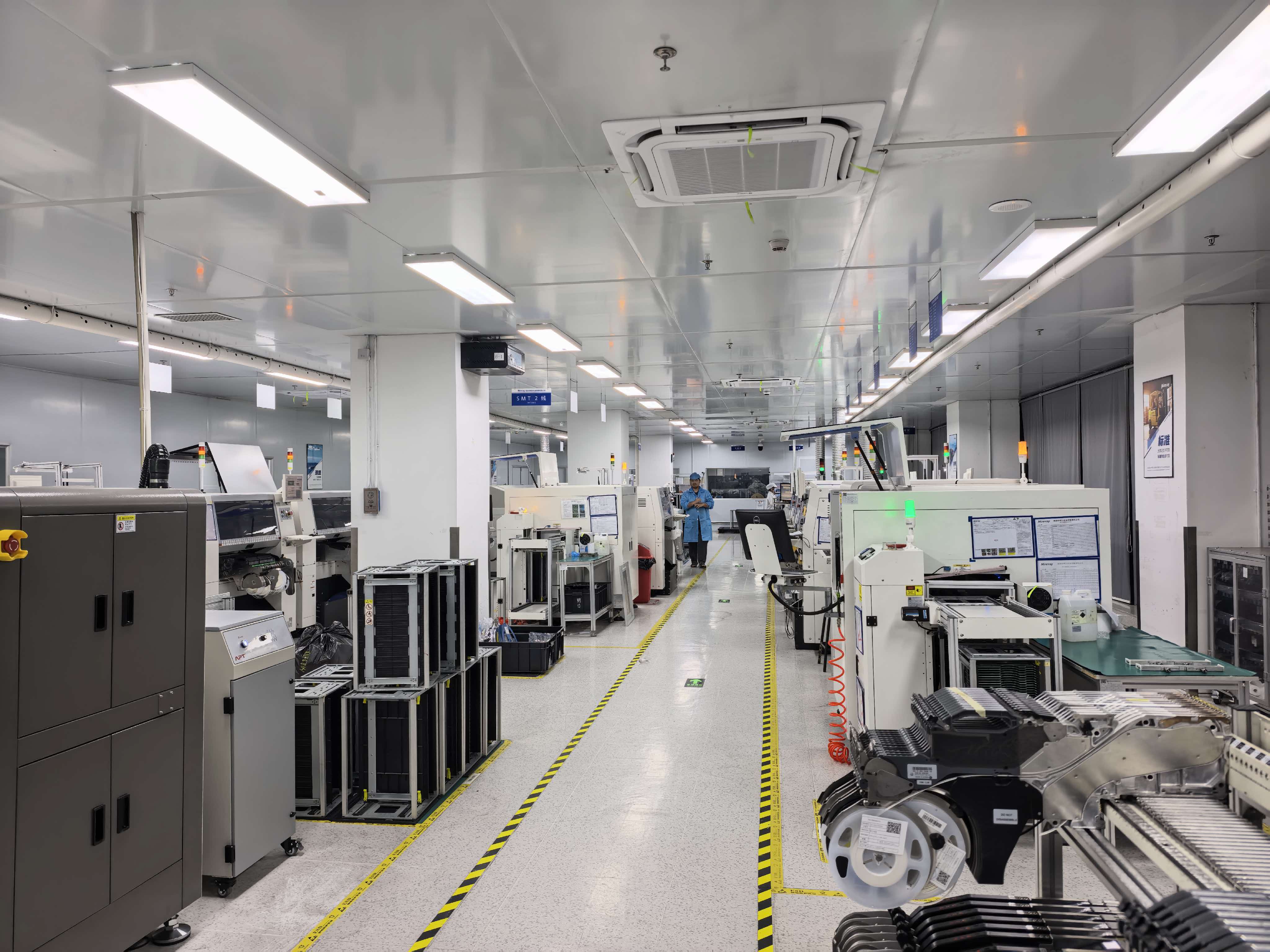
Production environment behind the TCHD Video capture card, converter and switcher lines.
Lane A — Single-Source Recording: TC-UB620 and TC-UB660
The single-source lane answers a simple requirement: one signal in, one host recording or streaming it. The TC-UB620 and TC-UB660 are USB 4K capture cards in this lane, specified around a USB 3.2 Gen 2 Type-C host connection and HDMI 2.1 pass-through, with UVC/UAC operation that exposes video and audio to the host without a proprietary driver stack. Both are documented as compatible with OBS, vMix and Premiere, which covers the three most common destinations in this segment: a streaming application, a production application and a nonlinear editor.
The workflow this fits is narrow on purpose. One camera, one console or one presentation feed; one operator; one machine that both captures and does something useful with the result. E-commerce live selling, game console recording, lecture capture, a single-room video conference and a telemedicine consultation all share that structure. In each case the buyer's real requirements are driver-free appearance on the host, a pass-through that keeps a local monitor fed, and software compatibility that has been confirmed for the exact version in use.
HDMI 2.1 pass-through deserves its own line in a purchasing decision, because it answers a question capture alone cannot. Pass-through lets the source signal continue to a display or a second device while the card captures, so the presenter or operator can see what is being sent without relying on the streaming software's preview. For a live-selling host reading chat on a second monitor, or a lecturer watching the projector feed, that is an operational requirement rather than a convenience.
The boundary is equally clear. A single-source USB card does not become a multi-camera production system by adding cameras. Each additional source needs its own capture device and its own host port and encoding headroom, and the operator's attention becomes the limiting factor before the hardware does. Buyers who already know they need four simultaneous sources are in Lane C, not Lane A.
Lane B — Bidirectional SDI: TC-200N9
The TC-200N9 is an SDI capture and playback card, and the second word in that description is the decision point. Capture-only hardware moves a signal into a computer. A capture and playback card moves a signal in and back out, which matters whenever the computer is part of a chain rather than the end of it: feeding an SDI router, driving an SDI monitor wall, inserting a graphics or replay layer into an existing SDI installation, or returning a program feed to equipment that only accepts SDI.
The card is documented with 3G-SDI support. That specification needs to be read precisely, because it separates this lane from the 4K lane rather than duplicating it. 3G-SDI is a 3 Gbps-class serial interface, conventionally used for 1080p60-level payloads; it is not a single-link 4K transport. A buyer whose requirement is genuinely 4K over SDI is therefore not looking at a 3G-SDI device at all, and a buyer who needs dependable 1080p60 SDI capture and playout inside an installed professional chain is looking at exactly this class of card. Confirming which of those two situations applies is a five-minute conversation that prevents an expensive mismatch.
This lane suits broadcast-adjacent and institutional environments where SDI is the existing language: campus television facilities, houses of worship with installed SDI infrastructure, medical training rooms wired for SDI, and production trucks or flypacks where BNC connectors and locking mechanisms are a reliability requirement rather than a preference. The fit boundary runs in both directions — HDMI-centric buyers gain nothing from SDI beyond durability, and SDI-centric buyers lose the installed-base advantage if they insert an HDMI conversion step.
Lane C — Multi-Input Live Production: TCHD-840 Pro
The TCHD-840 Pro live stream switcher is documented with four 4K HDMI/NDI inputs and T-Bar switching. Those two specifications describe a different category of purchase. Four inputs mean the device is asked to decide which source is live, not merely to record one; T-Bar switching means a human operator is expected to perform manual transitions between sources on a defined control surface rather than clicking between windows on a laptop.
That changes the buyer profile. A switcher purchase is a production purchase: it implies a rundown, a director or operator role, and an expectation that transitions happen on cue. The scenarios that justify it — esports tournaments, concert and sports event streaming, multi-camera conference coverage, virtual studio production, campus TV news — all share the property that the value is created by switching between simultaneous sources, not by capturing any single one of them at maximum fidelity.
NDI support is the quiet differentiator in the input list. A switcher that accepts NDI alongside HDMI can pull sources from the network, which decouples camera position from cable length and lets a laptop, a remote contributor or a second-room camera join the production without a dedicated hardware run. For hybrid events and distributed panels, that is often the requirement that decides the purchase.
The fit boundary here is operational, not technical. A switcher concentrates control in one operator and one device; if the operator is unavailable, the production stops. Buyers with a single presenter and no production staff are usually better served by Lane A. Buyers who need every source recorded at full quality for later editing should confirm independently whether the switcher provides isolated recording — a program output alone is not an ISO record.
The Decision Matrix
The matrix below starts from the workflow requirement and works back to the hardware lane. Read it from left to right: the requirement determines the interface check, the interface check narrows the lane, and the lane determines which questions remain open.
| Workflow requirement | Interface / host check | Capture vs playout | Control model | Lane |
|---|---|---|---|---|
| Record or stream one 4K source to one computer | HDMI in, USB 3.2 Gen 2 Type-C host | Capture with HDMI 2.1 pass-through | Software control (OBS, vMix, Premiere) | TC-UB620 / TC-UB660 |
| Capture from an installed SDI chain and return a signal to it | 3G-SDI in and out | Bidirectional capture and playback | Host application plus SDI routing | TC-200N9 |
| Produce a live programme from four simultaneous 4K sources | Four 4K HDMI/NDI inputs | Programme switching, not single-source capture | T-Bar hardware switching with an operator | TCHD-840 Pro |
Workflow-to-lane mapping based on documented interface and control characteristics; it is not a performance ranking.
| Checkpoint | What it decides | What the buyer must confirm |
|---|---|---|
| HDMI vs SDI | Cable run, connector security, whether the site is already SDI-native | Distance, connector type at the wall, and whether 4K over SDI is genuinely required |
| 4K60 capture vs HDR pass-through | What is recorded versus what is displayed | Both figures separately, and the capture format used to reach them |
| UVC/UAC vs T-Bar switching | Operator skill, setup time, driver dependency | Host operating system, application version, and who runs the show |
| Single-platform vs multi-platform streaming | Where the encode and uplink load sits | Number of simultaneous destinations and available upstream bandwidth |
Four Checkpoints That Separate the Lanes
1. HDMI Versus SDI Is a Site Question
HDMI and SDI are not competing quality tiers at the same distance; they are different installation assumptions. HDMI carries the consumer and prosumer ecosystem, which is where most single-source buyers already live. SDI carries the installed professional ecosystem: locking BNC connectors, long cable runs, and equipment that expects SDI at both ends. A DM room or a studio desk is an HDMI environment; a venue with cable runs across a hall is an SDI environment. Choosing against the site means paying for converters that reintroduce the failure points the interface was meant to remove.
2. 4K60 Capture and HDR Pass-Through Are Different Claims
Capture and pass-through answer different questions, and a device can do one without the other. Capture describes the stream that reaches the host and is recorded or streamed; pass-through describes the signal forwarded to a display, preserving the source for local viewing. The practical failure mode is a buyer who assumes a card that passes a 4K HDR signal also records it at the same fidelity. Buyers should ask for the two specifications separately, along with the capture format used, because the bandwidth arithmetic above shows that the recorded stream is not simply a copy of the source signal.
3. UVC/UAC Plug-and-Play and T-Bar Switching Serve Different Buyers
Plug-and-play removes a category of operational risk: no driver installation, no administrator privileges, no version drift between machines. That is exactly what a lecturer, a clinic or a single-host live seller needs. T-Bar switching removes a different problem — it makes transitions deliberate and repeatable under time pressure, which is what a live sports or esports production needs. Neither is an upgrade over the other. A T-Bar in a one-camera lecture room is unused hardware; a software-only workflow in a four-camera tournament is an operator bottleneck.
4. Single-Platform and Multi-Platform Streaming Move the Constraint
With one destination, the capture card is usually the binding constraint. With several simultaneous destinations, the constraint shifts to encoding capacity and upstream bandwidth, and the capture device becomes one component in a chain. A switcher with multi-platform streaming addresses the routing and encode side; a USB card addresses the ingest side. Buyers planning simultaneous platforms should size the uplink first, because no capture specification compensates for an upstream connection that cannot carry the aggregate output.
Market Context for a Workflow-First Choice
The category is large enough that lane selection has commercial consequences. Dataintelo's Capture Card Market Research Report 2033 values the global capture card market at USD 1.31 billion in 2024 and projects USD 3.37 billion by 2033 at a 12.4% CAGR across 2024–2033. The same publisher's Video Capture Card Market Research Report 2034 reports that the gaming application segment held a 31.2% share of total revenue in 2025, and that medical imaging and industrial segments together account for 19.4% of revenues with a segment CAGR of 11.8% through 2034. USB capture cards held the largest product-type share at 38.4% in 2025.
Two readings follow, and both are interpretation rather than measured fact. First, the USB lane's 38.4% product-type share is a reasonable explanation for why plug-and-play behaviour has become a purchasing criterion rather than a bonus: it is the volume lane, so software ecosystems are built around it. Second, the medical and industrial segments' 19.4% revenue share alongside an 11.8% CAGR signals that buyers in those segments will increasingly ask certification and documentation questions that consumer-oriented suppliers are not organised to answer.
Buyers should also treat forecast figures as forecasts. The 2033 projection depends on assumptions about segment mix that Dataintelo itself flags as sensitive: its own comparison notes that differing total market values appear across snippets for adjacent years, and recommends verifying whether mixed-reality or broader video-capture components are aggregated. A procurement decision should rest on the verified 2024 baseline and on documented product characteristics, not on a projected endpoint.
Procurement Checks Before the Order
For a Decision-stage buyer, four verification steps do more work than any additional specification.
Certification scope. TCHD holds an ISO 14001 environmental management system certificate, number 064-24-E-0676-R1-S, issued against GB/T24001-2016/ISO14001:2015, applicable to the EU market. Its stated scope covers sales of the TCHD-T3 live streaming camera. Certification scope is defined product by product, so a buyer requiring environmental documentation for a capture card order should confirm which models the certificate covers rather than assuming portfolio-wide application. The same discipline applies to medical-grade certification: where a medical imaging or surgical training workflow requires it, the status should be verified for the specific model, and no such certification is asserted here.
Customs classification. TCHD products are classified under HS Code 8471.80 (automatic data processing units) and 8525.80 (television/digital cameras), per Zauba import records. Importers should confirm the classification that applies to the specific card or switcher rather than the portfolio as a whole, because the two codes carry different duty treatment in many jurisdictions.
Volume against capacity. The supplier states a 10,000 m² facility, 50 employees, a 10-engineer R&D team and an annual output of 4,000 units, with approximately 20% of output exported. A distributor or systems integrator planning a programme rollout should map expected annual volume against that stated output and against the R&D headcount available for customisation requests.
Compatibility evidence. OBS, vMix and Premiere compatibility should be confirmed at the version and operating-system level the buyer actually runs, not as a general statement. A short validation with the exact application build and host hardware is the only reliable test of a UVC-based workflow.
The full product range, including capture cards, converters, encoders and switchers, is documented in the TCHD Product Catalog 2025 (PDF).
What This Matrix Does Not Decide
This mapping organises a decision; it does not rank the products against each other. No comparative outcome testing across the three lanes was supplied, so no lane is claimed to be faster, more reliable or better value than another. The lanes solve different problems, and a switcher and a capture card are not substitutes that can be scored on one axis.
Three questions remain with the buyer and the supplier respectively. Capture format and HDR handling must be confirmed per model, because they determine what actually lands on disk. Isolated recording capability on the switcher must be confirmed if post-production editing of individual sources is required. And any medical, broadcast or compliance-specific requirement must be matched to documented certification for the named model rather than inferred from the product family.
Outlook
If the segment growth reported by Dataintelo continues on its stated trajectory, two pressures will shape 4K capture purchasing over the next several years. The first is documentation: as medical and industrial buyers take a larger share of revenue, certification scope and model-level evidence become part of the specification rather than an afterthought. The second is workflow consolidation: as multi-destination streaming becomes routine, buyers will increasingly evaluate the capture device as one element of a production chain rather than as a standalone box.
Both trends favour a decision made in the order this matrix sets out. Establish whether the job is recording, routing or producing. Let that answer choose the interface. Then verify the specific model against the specific claim — including the ones this article has deliberately left open.
Frequently Asked Questions
Is HDMI or SDI the better interface for a 4K capture card?
Neither is better in isolation; the site decides. HDMI suits short runs where the source and the host are close, which covers most single-operator recording and streaming setups. SDI suits installed environments with long cable runs and locking connectors, and TCHD's product data documents SDI supporting 100 metres of transmission in 1080P60 format on an SDI-equipped model. Buyers should also separate the interface question from the resolution question: 3G-SDI, as specified on the TC-200N9, is a 3 Gbps-class interface conventionally used for 1080p60-level payloads, not single-link 4K transport.
Does 4K60 capture mean the same thing as 4K60 HDR pass-through?
No. Capture describes the stream delivered to the host and recorded or streamed; pass-through describes the signal forwarded to a display while capture proceeds. A device can pass through a signal it does not record at identical fidelity. Because an uncompressed 4K 60 Hz RGB 24-bit stream requires about 11.94 Gbps — above the 5 Gbps ceiling of USB 3.0, per Purplelec's technical comparison — the capture format matters as much as the headline resolution. Buyers should request capture resolution, frame rate, capture format and pass-through specification as four separate items.
What does UVC/UAC plug-and-play remove from a workflow compared with T-Bar switching?
They address different risks. The UVC standard allows a capture device to appear to a host as a plug-and-play camera without proprietary drivers, as Elgato's capture glossary describes, which removes installation steps and administrator dependencies across multiple machines — valuable for lecture capture, clinics and single-host live selling. A T-Bar removes a production risk instead, making source transitions deliberate and repeatable under time pressure. A switcher therefore raises the operator requirement rather than lowering the setup requirement.
When does a multi-input switcher replace several capture cards?
When the value of the production comes from choosing between simultaneous sources rather than recording any one of them. The TCHD-840 Pro is documented with four 4K HDMI/NDI inputs and T-Bar switching, which fits esports, concerts, sports events, multi-camera conferences, virtual studios and campus TV. Multiple capture cards remain the appropriate choice when each source must be recorded independently at full quality, or when no operator is available to run a live switch. Buyers needing per-source recording from a switcher-based workflow should confirm isolated recording capability separately.
How can value be compared across USB, SDI and switcher lanes without a shared spec sheet?
By comparing each lane against the requirement it is meant to satisfy rather than against the others. For the USB lane, the relevant measures are driver-free UVC/UAC operation, HDMI 2.1 pass-through and confirmed OBS, vMix or Premiere compatibility. For the SDI lane, they are bidirectional capture and playback and 3G-SDI compatibility with the installed chain. For the switcher lane, they are input count, NDI support and whether a T-Bar control model matches the production staff available. A lane that matches the workflow is better value than a higher-specification lane that does not.
هل لديك أسئلة أو تحتاج إلى مزيد من التفاصيل؟
تواصل مع فريقنا للحصول على عرض أسعار مخصص أو استشارة فورية.
طلب عرض أسعار
املأ النموذج أدناه وسيتواصل معك فريقنا بعرض مقترح مخصص.
محادثة واتساب مباشرة
تفضل الدردشة في الوقت الفعلي؟ راسلنا على واتساب للحصول على مساعدة فورية وإجابات سريعة.
- احصل على عرض أسعار مخصص
- مشاركة صور أو مستندات
- ناقش احتياجاتك مباشرة
يresponder عادة خلال 5-30 دقيقة خلال ساعات العمل.