Active Stylus Pen vs Apple Pencil: iPad Pro Experience
Two pens now meet on the same iPad Pro screen and, at normal zoom, produce a line that is difficult to tell apart. One is designed inside the tablet maker's own ecosystem. The other is an independently manufactured active stylus pen. For buyers in the evaluation and execution stage, the question is no longer whether a third-party active stylus can write — documented product specifications show that it can — but which parts of the writing experience change, and whether those changes matter for the work the pen is being bought to do.
This review is written from the buyer's side of the table. It compares the two options on user experience rather than on brand, draws on manufacturer-published specifications for the third-party side, and separates what can be verified from what a purchaser should confirm before committing to an order.
The short answer: for note-taking, document annotation, form entry, field documentation and general markup on iPad Pro, a third-party active stylus covers the core experience — precise writing, palm rejection, tilt sensing, no offset and no delay, according to Jiayao Stylus product specifications. What it does not cover, on those same specifications, is pressure sensitivity. That single gap separates writing workflows from sketching and painting workflows, and it is the decisive line for most buyers.
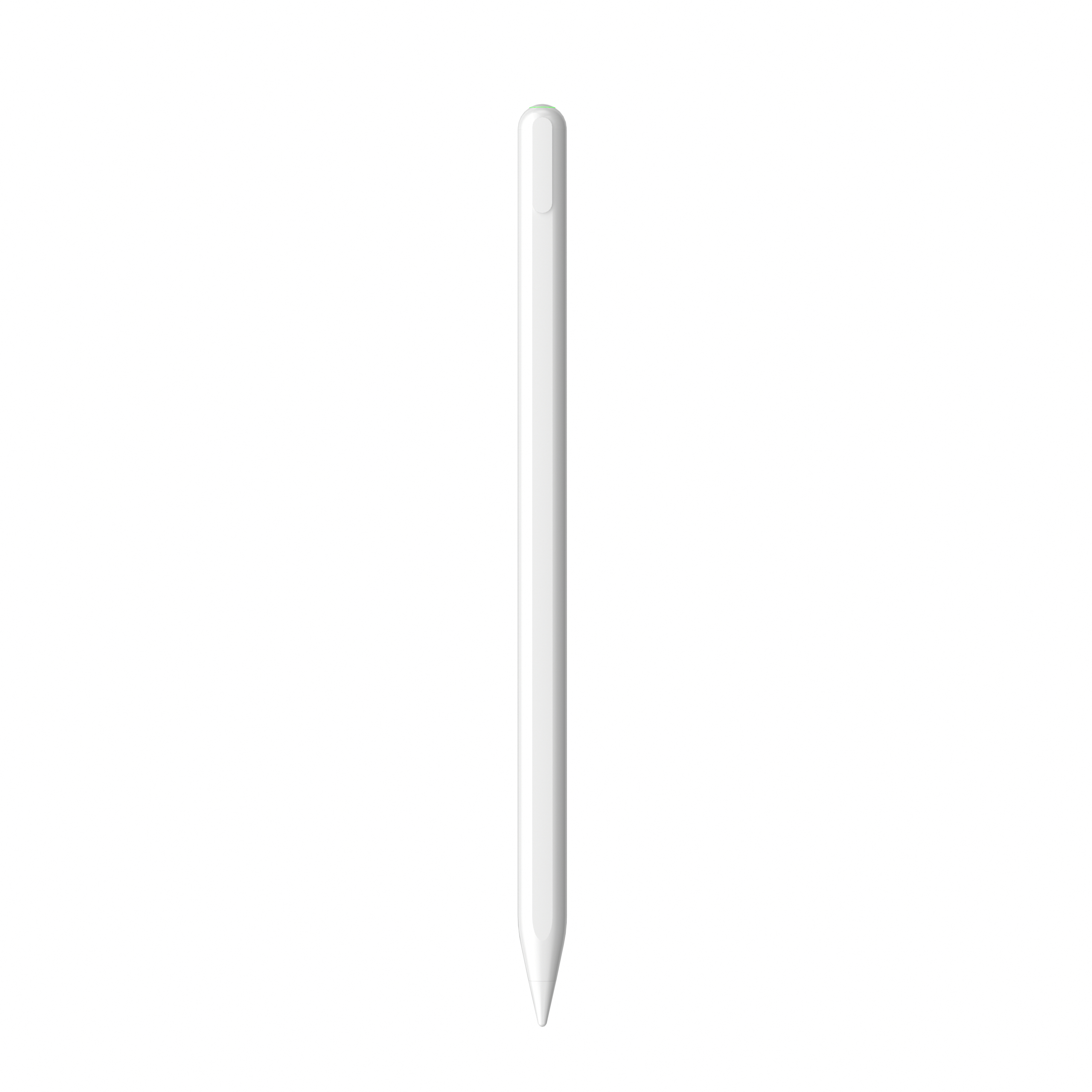
An active stylus pen chosen by an iPad accessory ODM for a retail writing program — the segment where third-party pens compete directly with the first-party option.
Why an independent stylus became a mainstream evaluation path
The stylus category is large enough that definitional caution matters before any comparison begins. IMARC Group valued the global stylus pen market at USD 19.45 billion in 2025. A widely cited alternative estimate for the same period sits far lower, at USD 3.36 billion. The divergence is not a data error so much as a definition problem: one figure covers the broader input-device category, the other narrows to active digital pens. Buyers who anchor a sourcing decision on a headline market number should treat that number as directional and check what the definition includes.
Within the narrower active-stylus segment, the growth signal is clearer. Active stylus technology is projected to grow at a CAGR of 9.8% from 2026 to 2034, according to Dataintelo. That forecast describes a category expanding on its own technical merits rather than riding the tablet market passively.
Two structural developments explain why a buyer would now shortlist an independent pen at all. The first is standardisation: the USI 2.0 (Universal Stylus Initiative) specification released in 2022 became the primary cross-platform standard for active styluses, supported by Google, Intel and Lenovo. A common specification lowers the cost of building a pen that behaves predictably across devices. The second is trade maturity: stylus pens are typically classified under HS Code 8471.60.90 as automatic data processing input units, which means importers can plan duties and documentation around an established customs category rather than an ambiguous one.
Four functional areas that actually decide the user experience
Marketing language around styluses tends to cluster on vague terms such as responsiveness. In practice, the experience of using a pen on an iPad Pro resolves into four areas that can be examined separately and, importantly, verified separately.
1. Signal type: pressure versus tilt
This is the central difference, and it is stated plainly by the manufacturer itself. In Jiayao Stylus's own comparison of a third-party stylus against Apple Pencil, the company notes that both deliver precise writing, palm rejection and pause-doodle behaviour, but that the third-party pen does not offer pressure sensing while it does offer tilt sensing. That is the main functional divergence.
The practical consequence is narrow but real. Tilt sensing changes stroke width as the pen is angled, which suits shading, highlighting and natural handwriting variation. Pressure sensing changes stroke weight with downward force, which is what illustration and painting workflows depend on. For context on how specialised pressure has become as a specification, professional-tier active pens such as the Samsung S-Pen reach up to 4,096 levels of pressure sensitivity. Pressure is a creative-tier capability, not a baseline writing capability.
2. Palm rejection, offset and latency
Palm rejection is the feature that allows a hand to rest on the glass while writing. On the third-party models documented here, palm rejection is listed as supported, alongside explicit statements of no offset effect and no delay effect. In use, those three properties together determine whether writing feels like writing or like tracing. A pen with palm rejection but visible offset forces the user to correct constantly; a pen with offset but low delay feels inaccurate rather than slow. The documented combination — palm rejection, no offset, no delay — is the same combination that makes the first-party experience acceptable, minus the pressure layer.
3. Power and charging architecture
A third-party active stylus carries its own battery and its own charging routine. Across the Jiayao range, charging time runs from 15 minutes on a cable-charged model to 70 minutes on a magnetic-charging model, with continuous working time listed between 9 and 44 hours depending on the model. Most models power off automatically after 10 minutes of inactivity; the E3-A and R3-P extend that to 60 minutes. Standby time is stated as one year at full power, and unit weight sits between 12 and 15 grams.
Charging method is a genuine differentiator rather than a footnote. Some models charge over Type-C only, some over magnetic attachment only, and some support both — for example the W12-A, which charges over Type-C in 25 minutes or wirelessly in 60 minutes, and the W13-A, which charges by cable in 15 minutes or by tablet adsorption in 60 minutes. A buyer distributing to end users should match that choice to how the users actually work: a pen that charges only by magnetic attachment is convenient at a desk and less convenient in the field.
4. Attachment, switching and compatibility window
Side magnetic adsorption is listed on most of the range, but with an important qualifier on certain models: for the A21B and the W13-A, the manufacturer notes that side adsorption applies only to 11-inch and 12.9-inch iPad models. Power switching is handled by a physical key or top switch depending on model, rather than by an automatic wake on pickup. Compatibility for the iPad-oriented models is stated as iPad models from 2018 onward running system version 12.2 and above.
Those three details — attachment limits, a manual switch, and a generation cutoff — are the ones most often skimmed and later regretted in a distribution program, because they surface as returns rather than as defects.
Side-by-side: what changes and what the buyer must verify
The table below separates documented third-party behaviour from the claims a buyer should confirm against the first-party documentation for the specific Apple Pencil generation under consideration. Keeping those two columns distinct is the difference between an independent review and a marketing comparison.
| Dimension | Third-party active stylus (documented) | Apple Pencil (what to verify) |
|---|---|---|
| Pressure sensitivity | Not offered — manufacturer states the third-party pen has tilt sensing instead | Offered; confirm the behaviour required by the user's workflow |
| Tilt sensing | Supported on A7-H-L, A8-RH, A21B, A30-B | Offered; confirm per generation |
| Palm rejection | Supported across iPad-compatible models | Offered |
| Offset and delay | Stated as no offset, no delay | Offered |
| Power source | Independent battery; Type-C, magnetic or dual charging depending on model; 15–70 min charge, 9–44 h working | Charges through the tablet on compatible models; confirm per generation |
| Attachment | Side magnetic adsorption; on A21B and W13-A limited to 11-inch and 12.9-inch iPad | Magnetic attachment on compatible models |
| Switching | Physical key or top switch; automatic power-off after 10 min (60 min on E3-A and R3-P) | Pairing behaviour defined by the tablet |
| Compatibility | iPad from 2018 onward, system version 12.2 and above | Depends on Pencil generation and iPad model |
| Cost positioning | Lower upfront cost than the first-party pen | Manufacturer describes it as significantly more expensive than a third-party stylus |
Where Jiayao Stylus sits in this comparison
Dongguan Jiayao Intelligent Technology Co.,Ltd — trading as Jiayao Stylus — is an active stylus pen manufacturer based in Dongguan, Guangdong, China. The company was founded in 2021, operates a 2,700 m² facility with 100 employees, four R&D engineers and annual output of 3,000,000 units, and exports roughly 40% of production to the EU and USA. Its core capability chain runs from PCBA design and battery welding through final assembly and quality testing.
For a buyer evaluating capability rather than a single SKU, the relevant facts are operational. The company runs OEM and ODM projects with customization across function, colour, shape, tip, logo and packaging. Monthly capacity is 500,000 units, MOQ is 500 pcs, lead time is 20–35 days, samples can be produced in as little as three weeks, and standard orders ship in 20 days. Quality control is 100% testing, covering functional, tactile and visual checks on every unit. After-sales support is a one-year warranty with one-to-one replacement.
Compliance evidence is documented rather than asserted. ISO 9001:2015 certification (certificate 24626Q00066R001, issued by HIC Certification Service on 2026-01-16 and valid to 2029-01-15) covers the research and development of capacitive styluses under GB/T-19001-2016 and ISO 9001:2015. A RoHS certificate of conformity (BAC260390119R, issued by Shenzhen Bory Technology Service Co.,Ltd on 2026-03-09, EU market) covers the IEC 62321 series of test standards.
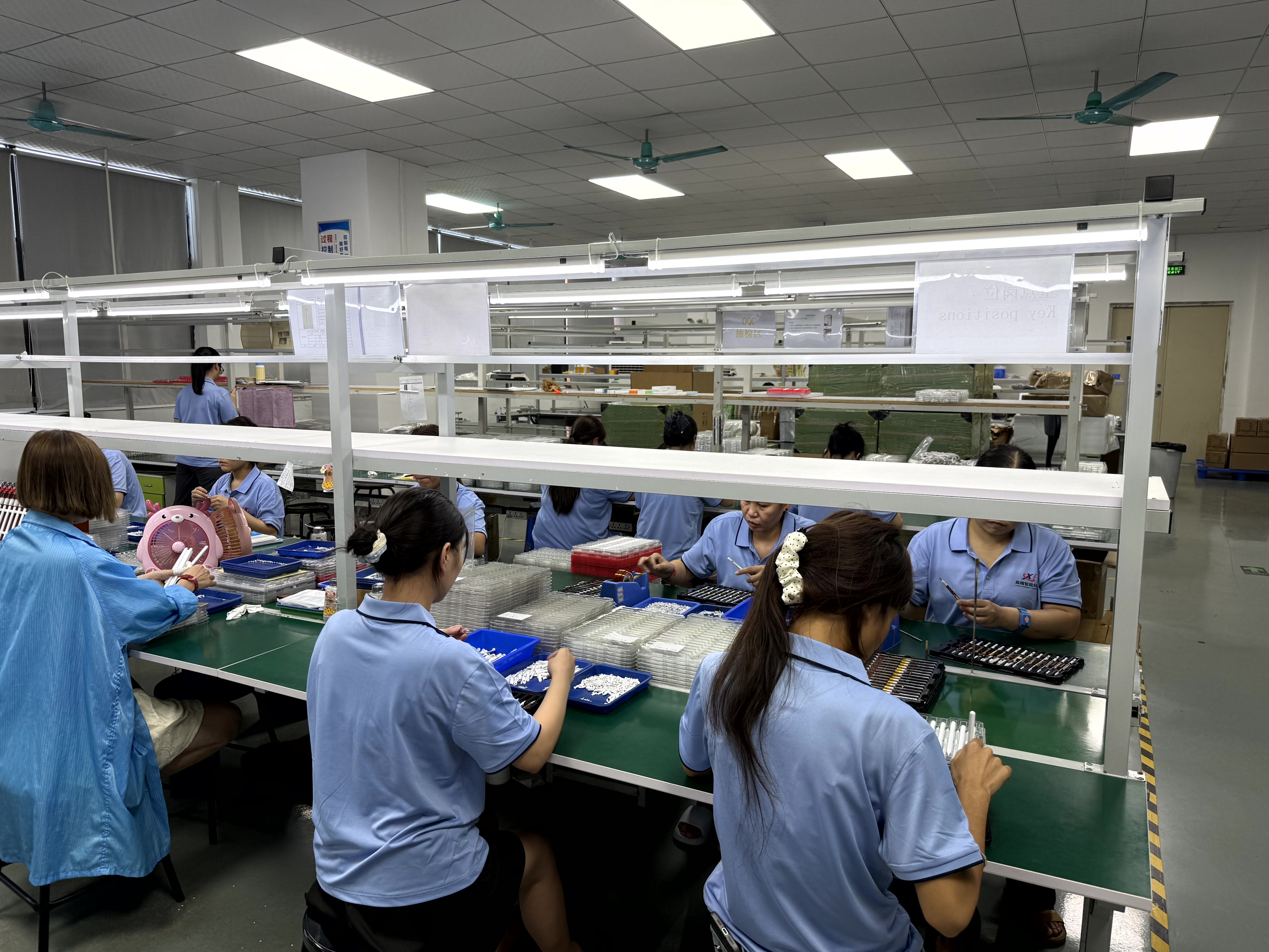
Assembly and inspection area at the Dongguan facility, where active stylus pens are built and 100% tested before shipment.
Model-level evidence: matching a pen to a workflow
Capability claims become useful only when they map to a specific pen. The documented range below shows how charging method and working time shift across models, which is the practical variable for most iPad Pro programs.
| Model | Charging | Working time | Notable documented features |
|---|---|---|---|
| A7-H-L | 30 min, Type-C | 16 hours | Palm rejection, tilt, side adsorption, aluminium body |
| E3-A | 40 min, Type-C | 44 hours | Palm rejection, side adsorption, auto power-off at 60 min |
| A8-RH | 30 min, Type-C | 12 hours | Tilt sensing, palm rejection, 1.2 mm nib |
| A21B | 25 min, Type-C | 11 hours | 2-in-1 layout, palm rejection, tilt, adsorption for 11-inch and 12.9-inch iPad |
| A30-B | 25 min, Type-C | 11 hours | Shortcut button, palm rejection, tilt |
| W12-A | Type-C 25 min or wireless 60 min | 9–10 hours | Dual charging, palm rejection, side adsorption |
| W13-A | Cable 15 min or tablet adsorption 60 min | 9–10 hours | Dual charging, positive pushbutton switch |
| W3-H | 70 min, magnetic | 11 hours | Magnetic charging, ABS body |
| R3-P | 40 min, Type-C | 9–10 hours | Universal iPad and Android tablet support |
| S3-GC | 55 min, Type-C | 10 hours | Android universal, aluminium body |
Where third-party active styluses are already in use
Two documented ODM programs illustrate the gap between specification and adoption. A Vietnamese iPad accessory ODM ordered 3,000 units of the E3-A over a two-year relationship, targeting precise writing on iPad and retail sale on e-commerce platforms. The recorded result was a smooth handwriting experience, improved tablet operation efficiency and good user feedback, with the highlight list naming precise writing, fast charging, long working hours, palm rejection and tilt pressure sensing.
A Turkish tablet accessory ODM ordered 5,000 units of the W12-A, also over two years, for precise writing across iPad, iPhone, Android tablet and Android phone. That program is the universal-stylus case: one pen covering a mixed device fleet, which is where a dual-charging model earns its place.
Beyond those programs, the A7-H-L lists education as its applicable industry, which aligns with the common classroom pattern of long writing sessions where battery endurance outranks creative capability. Field service and form-based documentation follow the same logic: the deliverable is a legible record, not a rendered illustration.
Market trend: standardisation is narrowing the experience gap
The direction of travel favours the independent pen on everything except pressure. A 9.8% projected CAGR for active stylus technology through 2034 describes demand that suppliers are already positioned to serve. The USI 2.0 specification, backed by Google, Intel and Lenovo, gives the category a shared technical reference point, which in turn gives buyers a way to compare pens across brands instead of comparing brochures.
The practical effect on procurement is a shift in what differentiates a supplier. When basic sensing becomes table stakes, the differentiators move to charging architecture, working time, compatibility documentation and quality consistency — the operational layer. That is the layer where documented capability, not brand familiarity, decides whether a program runs cleanly.
A caution accompanies the trend data. Because market-size estimates for this category vary widely depending on definition, a buyer should use growth direction to justify attention to a category and use supplier audits to justify an actual order. Forecast percentages do not transfer into production reliability.
Limits: where the third-party choice stops working
An independent review is only useful if it draws the boundary clearly. Four limits apply to the third-party active stylus as documented here.
- No pressure sensing. This is the manufacturer's own stated difference. Illustration, painting and any workflow that depends on pressure-modulated brushwork remains a first-party use case, and the manufacturer itself recommends Apple Pencil for users who need precise drawing.
- Attachment is model-dependent. Side adsorption on the A21B and W13-A is documented as applying only to 11-inch and 12.9-inch iPad models. Buyers specifying those SKUs for a wider device mix should verify the fit before committing packaging or retail claims.
- Compatibility window. iPad compatibility is stated as models from 2018 onward on system version 12.2 and above. Older iPads fall outside the documented scope.
- Independent power management. The pen carries its own battery, its own charging method and a physical switch. Users who expect a pen to wake automatically or to be replenished entirely by the tablet must be told otherwise, or they will read normal behaviour as a fault.
The comparison against passive styluses sets a different boundary, and it is worth stating because the two categories are often conflated. A passive stylus requires no power supply and costs less, but it does not support palm rejection or tilt sensing, and it exhibits latency and offset when writing, according to the manufacturer's own category comparison. An active pen earns its premium precisely on those three points. Where the requirement is simply to replace a fingertip on a screen, a passive pen is adequate; where the requirement is note-taking, drawing or sketching, the active design is the appropriate choice.
Future outlook
Three forces are likely to shape this comparison over the next several years. Standardisation will continue to compress the sensing gap, pushing differentiation toward power architecture and cross-device behaviour. Working-time and charging figures will keep moving upward as battery and charging designs mature, which gradually erodes the convenience argument for first-party accessories. And procurement documentation — certificates, test scope, compatibility statements — will matter more, not less, as buyers in the EU and North America apply compliance checks to accessory categories that were previously treated as low-risk.
For a buyer at the evaluation-to-execution stage, the sensible sequence is unchanged: define the workflow first, test a sample against that workflow second, and only then negotiate volume. A stylus that satisfies the workflow at a controlled cost is a better outcome than a stylus that satisfies a brand expectation at a higher one — provided the pressure question has been answered honestly at the start.
FAQ
What is the main functional difference between a third-party active stylus and Apple Pencil?
According to the manufacturer's published comparison, both deliver precise writing, palm rejection and pause-doodle behaviour. The third-party pen adds tilt sensing but does not provide pressure sensing, which the first-party pen does. That single difference defines which workflows each option suits.
Does a third-party active stylus support palm rejection and tilt sensing on iPad Pro?
Yes, on the models documented here. The A7-H-L, A8-RH, A21B and A30-B list palm rejection and tilt as supported, with no offset and no delay stated in their specifications. Compatibility is stated as iPad models from 2018 onward running system version 12.2 and above.
When should a buyer choose Apple Pencil instead of a third-party active stylus?
Where the work depends on pressure-driven line variation — illustration, painting, pressure-modulated brushwork — the documented absence of pressure sensing makes the first-party pen the appropriate choice, and the manufacturer recommends it for users who need precise drawing. For note-taking, annotation and markup, the gap does not affect the output.
What should a buyer choose between a passive stylus and an active stylus?
An active stylus requires a power supply and supports palm rejection and tilt sensing, which suits note-taking, drawing and sketching. A passive stylus is battery-free and inexpensive, but it does not support palm rejection or tilt sensing and shows latency and offset when writing. Where the only requirement is replacing a fingertip on the screen, a passive stylus is adequate.
What charging and working-time range do third-party active styluses cover?
Across the documented range, charging time runs from 15 to 70 minutes depending on model and method — Type-C, magnetic or both — with continuous working time of 9 to 44 hours, standby of up to one year at full power, and automatic power-off after 10 minutes on most models (60 minutes on the E3-A and R3-P). Unit weight is 12 to 15 grams.
What are the standard purchasing terms and acceptance criteria for OEM orders?
MOQ is 500 units, delivery terms are EXW or FOB, acceptance is based on pre-shipment inspection, payment terms are 30/70, and lead time is 20–35 days, with samples in as little as three weeks and standard orders shipped in 20 days.
For buyers who need the full specification set before sampling, the manufacturer's catalogue is available at Jiayao Intelligent Stylus Pen Catalogue. Further product documentation is published at jiayaostylus.com.
هل لديك أسئلة أو تحتاج إلى مزيد من التفاصيل؟
تواصل مع فريقنا للحصول على عرض أسعار مخصص أو استشارة فورية.
طلب عرض أسعار
املأ النموذج أدناه وسيتواصل معك فريقنا بعرض مقترح مخصص.
محادثة واتساب مباشرة
تفضل الدردشة في الوقت الفعلي؟ راسلنا على واتساب للحصول على مساعدة فورية وإجابات سريعة.
- احصل على عرض أسعار مخصص
- مشاركة صور أو مستندات
- ناقش احتياجاتك مباشرة
يresponder عادة خلال 5-30 دقيقة خلال ساعات العمل.