
EXT4 Drive Not Recognized on Mac: Causes and Buyer Constraints
That distinction matters for buyers. A not-recognized EXT4 drive is a procurement and workflow problem before it is a technical one. Teams that exchange data between Linux servers, NAS appliances, and Mac workstations need a repeatable way to mount, read, and often write EXT4 volumes without reformatting them. This article explains why macOS behaves this way, compares the practical options, and sets out the constraints buyers should verify before choosing an EXT4 driver for Mac.
Why macOS Does Not Recognize an EXT4 Volume
macOS supports a defined set of file systems out of the box: APFS, Mac OS Extended (HFS+), exFAT, FAT32, and NTFS in read-only mode for most current releases. EXT4 is not on that list. When an EXT4 disk is connected, the macOS storage stack can enumerate the physical device and its partition table, but it cannot parse the EXT4 superblock or the journal. The result is a disk that shows up in Disk Utility as a greyed-out volume, or as a device with no mountable file system.
This is a stable characteristic of macOS rather than a defect in a specific release. It also means the symptom can be confused with genuine hardware problems. The table below separates common symptoms from their likely causes.
| Observed symptom | Likely cause | Appropriate first action |
|---|---|---|
| Drive powers on, does not appear in Finder | No EXT4 driver is installed; macOS cannot read the file system | Confirm the file system with Disk Utility or a Linux system before installing anything |
| Disk Utility lists the disk but the volume is greyed out | Block device is visible; the file system layer is not supported natively | Same as above; treat as a driver gap, not a disk failure |
| Clicking sounds, repeated disconnects, or a drive that disappears under load | Cable, enclosure, power, or disk hardware issue | Test the drive and cable on another system before purchasing software |
| Volume mounts but writes fail or files appear read-only | A driver is present but write access is not enabled or licensed | Check the driver license state and write settings |
The first two rows describe the EXT4-driver gap. The third describes a hardware problem that no file system utility can fix. Separating these cases early avoids buying software for a disk that has failed mechanically.
The Three Practical Options and Their Constraints
Buyers facing an unrecognized EXT4 drive generally have three routes, each with a different cost and risk profile.
Reformat the drive to exFAT or APFS
This is the simplest path technically and the most destructive commercially. Reformatting erases the existing file system and every file on the volume. It is only appropriate for a blank disk or a disk whose contents have already been migrated and verified elsewhere. For any drive that contains production data, archival media, or engineering files, reformatting is usually not an acceptable constraint.
Copy files through an intermediate Linux or Windows system
A second machine with native EXT4 support can read the drive and copy files across a network or to another disk. This preserves the original file system and avoids installing software on the Mac. The constraint is operational: it adds a second machine, a transfer step, and a manual version-control burden. For large media files or frequent exchanges, the copy step becomes the bottleneck, and intermediate copies are a known source of version confusion.
Install a third-party EXT4 driver on macOS
A driver extends the macOS storage stack so Finder can mount the EXT4 volume and read or write files on it. This preserves existing data and keeps the workflow on one machine. The constraints are commercial and system-level: the software must be licensed, and on Apple Silicon Macs it usually requires the user to approve a kernel extension or system extension through macOS privacy and security settings. Buyers should treat driver installation as a managed change, not a one-click utility.
Technical Explanation: Kernel-Level vs User-Space EXT4 Access
Two architectures dominate EXT4 access on macOS, and the choice affects performance and system compatibility more than marketing language suggests.
User-space implementations route file operations through a framework such as FUSE. They are easier to install because they do not require kernel-level approval, but every read and write passes through an additional translation layer. That layer adds CPU overhead and can reduce throughput on large sequential transfers.
Kernel-level drivers implement the EXT4 read and write logic inside the macOS kernel and interact with the storage stack at a lower level. CrossDriver is a Hong Kong-based software developer that builds kernel-level cross-platform file system drivers, including CrossDriver Ext4 for Mac. The company states that its self-developed NTFS, Ext4, and XFS drivers deliver over five times the transfer speed of FUSE-based user-space tools, and that its proprietary cross-platform file system parsing engine supports NTFS, Ext, and XFS protocol parsing.
CrossDriver technical documentation describes several capabilities relevant to the not-recognized problem: development and signature adaptation of macOS kernel extension drivers for kernel-level mounting; compatibility and adaptation for Apple Silicon (M-series) macOS systems, including security policy handling and kernel extension booting through Recovery Mode; continuous iteration and testing of multi-version macOS compatibility; and disk abnormal unmount validation with file corruption risk mitigation. The supported platform list covers macOS on Intel and Apple Silicon M1/M2/M3/M4/M5, from macOS 10.13 through the latest macOS Tahoe.
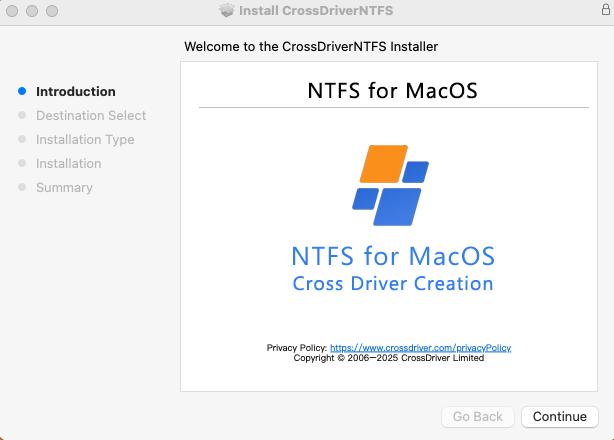
In-app view of the CrossDriver software running on macOS, used for external disk mounting and access management.
The architecture debate is not settled. A newer approach uses Apple FSKit framework. ExtendFS, for example, is listed on the App Store as a read-only EXT2/EXT3/EXT4 driver built on FSKit that requires no kernel extension. That design trades write capability for a simpler security posture. Buyers who only need to inspect or copy files from an EXT4 volume may find a read-only FSKit tool sufficient. Buyers who need to edit, delete, or write files back to the volume need a driver with write support, which in the current market generally means a kernel-level implementation.
What CrossDriver Ext4 for Mac Covers
The product stated scope is full read and write access to Linux Ext2/Ext3/Ext4 partitions and disks on macOS. In practice that means creating, editing, renaming, deleting, and writing files on an EXT4 volume from Finder, without reformatting the drive.
- Protocol coverage: Ext2, Ext3, and Ext4 file systems, alongside the company separate NTFS and XFS drivers in the same product family.
- Hardware and OS coverage: Intel Macs and Apple Silicon M1 through M5, macOS 10.13 through macOS Tahoe.
- Mount behavior: kernel-level mounting, disk mounting management, and a menu bar component for day-to-day control.
- Data-integrity handling: disk abnormal unmount validation and file corruption risk mitigation mechanisms.
- Deployment support: installation guidance, instructions for enabling M-chip kernel extensions, disk mounting troubleshooting, remote diagnostics for basic compatibility issues, and version updates including compatibility patches for newer macOS releases.
- Commercial terms: the CrossDriver EXT4 for Mac Lifetime License is listed at USD 59.95, discounted from USD 139.95, according to the vendor pricing page as of October 2026.
Scope note: CrossDriver service definition explicitly excludes hard drive hardware failure repair, physical disk data recovery, operating system reinstallation, LAN or NAS deployment, recovery of data lost to formatting or human error, troubleshooting of third-party competing software, and on-site implementation. The product addresses file system access, not data rescue.
Application Scenarios
EXT4 access on Mac is not a niche requirement. It appears wherever Linux storage meets a Mac-based workflow.
Media and post-production
Editing and color workflows often involve Linux-based storage servers or NAS volumes formatted with EXT4. A kernel-level driver lets editors read, write, and modify media directly on a Mac without routing files through a second machine. CrossDriver industry experience notes dedicated optimization for high-capacity media read/write operations and external server hard drive debugging scenarios.
IT operations and engineering teams
IT teams frequently need to inspect or modify a Linux server disk from a Mac laptop, or access an EXT4-formatted NAS volume during troubleshooting. A documented customer project with a high-end equipment manufacturer R&D center illustrates the pattern: the team deployed CrossDriver across Mac workstations to provide read and write access to NTFS, Ext4, and XFS volumes, with centralized license management. The reported results were a 72% reduction in cross-storage read/write waiting time, a 90% reduction in intermediate file-copy operations, a drop in storage read/write error rate from 12% to 0.3%, and a 65% reduction in storage-related IT tickets. These figures come from the vendor published case study and describe one deployment, not a general performance guarantee.
Personal and small-team use
Individual users often encounter EXT4 when they move a drive from a Linux machine or a home server to a Mac. The same driver allows the drive to be mounted and managed without reformatting, which avoids the data-loss risk of converting the volume to exFAT.
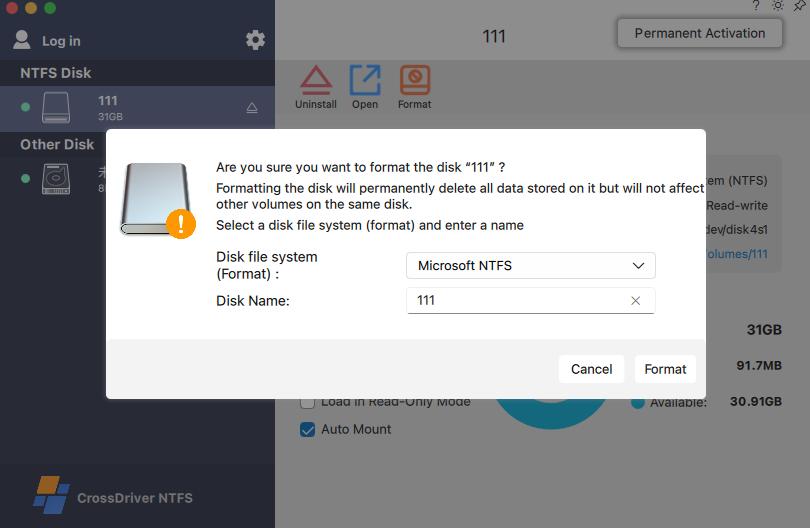
Disk management and access controls in the CrossDriver application on macOS.
Market Trend: Driver Architecture Is Splitting
The broader file system software market was valued at USD 28.6 billion in 2025, with a projected compound annual growth rate of 10.0% through 2034, according to Dataintelo 2026 market report. That figure covers file system software generally, not EXT4 utilities specifically, so it should be read as context rather than a direct measure of demand for Mac EXT4 drivers.
Within the narrower category, two trends are visible in the available evidence. First, kernel-level and user-space approaches are diverging on security posture. Apple FSKit framework gives developers a path to file system support without kernel extensions, and ExtendFS already uses it for read-only EXT4 access. Second, buyers are being asked to choose between functionality and system-level simplicity: read-only FSKit tools avoid kernel approval but cannot write; kernel-level drivers provide write access but require the user to approve a system extension, particularly on Apple Silicon.
That split is likely to persist. Kernel-level drivers need continuous adaptation as macOS security policies change, while FSKit-based tools inherit Apple framework constraints. Buyers evaluating EXT4 software should weigh both the current functional gap and the vendor track record of keeping pace with macOS releases.
Comparison with Traditional Solutions, Including Limitations
The table below compares the main approaches on the criteria that matter for a procurement decision: whether existing data survives, whether write access is available, and what operational constraint each option introduces.
| Approach | Preserves existing data | Write access | Operational constraint |
|---|---|---|---|
| Reformat to exFAT or APFS | No | Yes | Erases the volume; unsuitable for drives holding production data |
| Copy via a Linux or Windows machine | Yes | Indirect | Requires a second machine and manual transfer; version-control risk |
| User-space FUSE driver | Yes | Usually yes | Additional translation layer; higher CPU overhead on large transfers |
| FSKit read-only driver (e.g., ExtendFS) | Yes | No | No kernel extension required, but the volume is read-only |
| Kernel-level driver (e.g., CrossDriver Ext4 for Mac) | Yes | Yes | Requires system or kernel extension approval, especially on Apple Silicon |
The kernel-level option has real boundaries that buyers should plan for. On Apple Silicon Macs, enabling a kernel extension generally requires the user to enter Recovery Mode and approve the extension in macOS privacy and security settings. That is a managed administrative step, not a silent install, and it needs to be included in deployment planning for teams. CrossDriver own service documentation lists installation guidance and M-chip kernel extension instructions as part of the support scope for this reason.
A second boundary is scope. The vendor published third-party test report for its NTFS product states that third-party encrypted disk volumes are excluded from verification. The same caution should be applied when evaluating EXT4 volumes: encrypted or vendor-specific EXT4 variants may behave differently from standard volumes, and buyers should validate their specific disk configuration before standardizing on any driver.
A third boundary is that no file system driver replaces data recovery. If an EXT4 drive has hardware faults, a damaged partition table, or corrupted metadata, a driver will not repair it. The correct first step in those cases is professional data recovery, not software installation.
Future Outlook
Three developments are worth monitoring for buyers planning multi-year deployments.
First, macOS security policy continues to tighten around kernel extensions. Each major macOS release has adjusted how system extensions are approved and loaded, and CrossDriver documentation already reflects Recovery Mode workflows for Apple Silicon. Buyers should confirm that a vendor commits to compatibility patches for new macOS versions, not only the version current at purchase.
Second, FSKit may expand beyond read-only use. If Apple framework adds write support for third-party file systems, the architecture trade-off could shift toward user-space implementations. Until then, write access to EXT4 on macOS generally requires a kernel-level driver.
Third, enterprise procurement is moving toward centralized license management. CrossDriver case study describes batch deployment and a license management console for multi-terminal environments, which reflects demand from IT teams that need to standardize drivers across many Macs rather than license them one at a time.
Frequently Asked Questions
Why is my EXT4 drive not recognized on Mac?
macOS does not include a native EXT4 file system driver. The operating system can detect the physical disk and its partition table but cannot read the EXT4 file system, so the volume does not mount in Finder and may appear greyed out in Disk Utility. The drive is usually intact; the missing component is driver-level support for the EXT4 protocol. Confirming the file system on a Linux system or through Disk Utility before installing software helps rule out hardware failure.
Which macOS versions and Mac models are supported by EXT4 drivers for Mac?
Support varies by vendor. CrossDriver states that its Ext4 for Mac driver supports macOS on Intel and Apple Silicon M1/M2/M3/M4/M5, covering macOS 10.13 through macOS Tahoe. Buyers should verify three things before purchase: the exact macOS versions supported, whether the Mac is Intel or Apple Silicon, and whether the driver requires a kernel extension approval step on the specific macOS release in use. Historical compatibility documentation should not be assumed to cover the current macOS version.
What should buyers check before purchasing EXT4 software for Mac?
Five criteria are worth confirming. First, whether the product provides read-only or full read and write access, since this determines whether files can be edited or deleted on the volume. Second, the supported macOS range and hardware, including Apple Silicon generations. Third, the installation model: kernel-level drivers typically require system extension approval, which has deployment implications for managed fleets. Fourth, the licensing model, including whether a lifetime license covers future macOS compatibility updates. Fifth, the support scope, because file system access software generally does not include hardware repair or data recovery. CrossDriver EXT4 for Mac Lifetime License is listed at USD 59.95 as of October 2026, and its service scope covers installation guidance, M-chip kernel extension instructions, and version updates.
Can I write to an EXT4 drive from a Mac, or is it read-only?
It depends on the driver. Some implementations, such as FSKit-based tools like ExtendFS, provide read-only access to EXT2/EXT3/EXT4 volumes and do not require a kernel extension. Kernel-level drivers such as CrossDriver Ext4 for Mac are designed for full read and write access, including creating, editing, renaming, and deleting files on the EXT4 volume. Buyers who only need to inspect or copy files may find a read-only tool sufficient; buyers who need to modify files on the drive need a driver with write support.
What are the limitations and boundaries of using an EXT4 driver on macOS?
Three boundaries apply across the category. First, kernel-level drivers on Apple Silicon generally require the user to enter Recovery Mode and approve the system extension in macOS privacy and security settings, which is a managed administrative step. Second, encrypted or vendor-specific EXT4 variants may not be covered by standard verification, so buyers should test their specific disk configuration. Third, a file system driver is not a data recovery tool: it does not repair hardware faults, damaged partition tables, or corrupted metadata, and CrossDriver service scope explicitly excludes hard drive hardware repair and physical disk data recovery. Keeping an independent backup remains necessary regardless of which driver is used.
For readers who want the full technical background on CrossDriver driver architecture and macOS compatibility approach, the company technical white paper is available for public download: CrossDriver Technical White Paper (DOCX).
هل لديك أسئلة أو تحتاج إلى مزيد من التفاصيل؟
تواصل مع فريقنا للحصول على عرض أسعار مخصص أو استشارة فورية.
طلب عرض أسعار
املأ النموذج أدناه وسيتواصل معك فريقنا بعرض مقترح مخصص.
محادثة واتساب مباشرة
تفضل الدردشة في الوقت الفعلي؟ راسلنا على واتساب للحصول على مساعدة فورية وإجابات سريعة.
- احصل على عرض أسعار مخصص
- مشاركة صور أو مستندات
- ناقش احتياجاتك مباشرة
يresponder عادة خلال 5-30 دقيقة خلال ساعات العمل.