
Holographic Displays Fit Repair Training Labs: KD-TP, KD-IFPD
Holographic Displays Fit Repair Training Labs: KD-TP, KD-IFPD
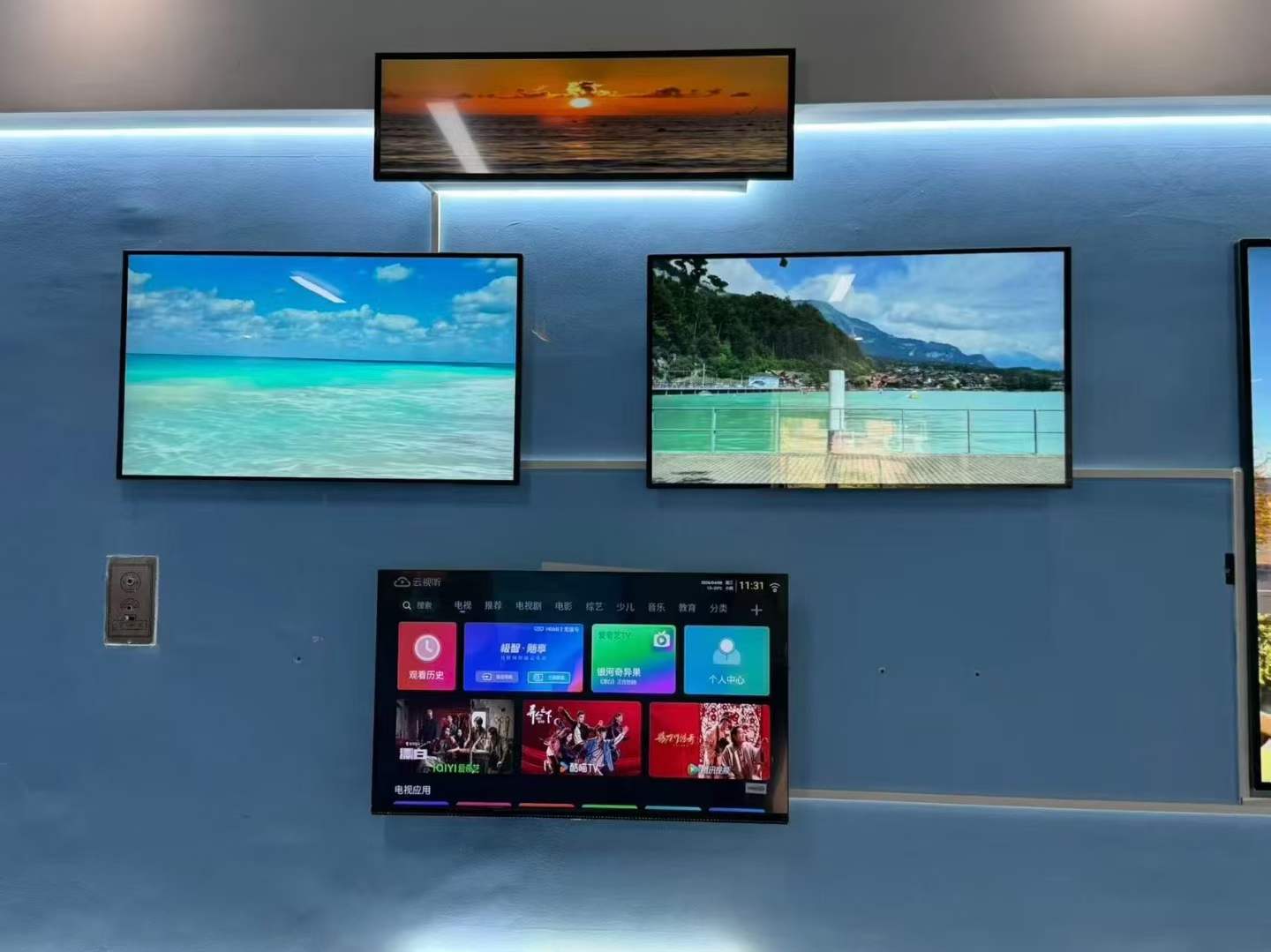 Indoor training and meeting environments set the working conditions for group instruction displays.
A consumer electronics repair training lab runs two teaching jobs in one room, and they do not need the same display. At the bench, a trainee must keep the real board in view while digital guidance explains the next step. At the front of the room, a group must see one annotated view at the same time. GZKEDRO's range assigns those jobs to different formats: the KD-TP Series transparent cabinet display for see-through component visibility, and the KD-IFPD Series smart conference display for group instruction and annotation. Asking a single screen to cover both is the most common way a lab fit-out ends up buying twice.
This reference sets out what each format is documented to do, where the fit boundary sits, what the certification coverage actually proves — ISO 9001 for both series, 3C for the KD-IFPD, and EU RoHS 2.0, EMC and LVD for the KD-TP — and which checks a training manager or procurement team should run before ordering units for a pilot lab. The reader here is the person specifying a lab rather than a showroom: technical training leads, vocational institutions, repair networks and the integrators who wire the rooms.
Why a repair lab asks a different question than a showroom
In retail, exhibition or mall advertising, the display is the object of attention. In a repair lab the object of attention is a phone chassis, a laptop mainboard or a connector housing, and the display is reference material standing between the trainee and the hardware. That inversion changes the selection criteria in four ways.
- Occlusion. An opaque monitor placed beside a bench either takes up the line of sight the trainee needs for the object, or forces the trainee to look away from it. A see-through format keeps both in the same visual field.
- Shared view. Hands-on teaching breaks the moment five trainees gather around one bench. Group instruction needs a surface large enough for a diagram to be read and annotated once rather than five times.
- Content churn. Repair procedures change with every product generation. A lab that must re-cable hardware to update a procedure falls behind its own training schedule.
- Audit trail. Corporate and institutional labs increasingly have to show a compliance file for the equipment in the room, not only a purchase receipt.
Two formats, two teaching jobs
The table separates two jobs that are usually written into one procurement line. It is not a ranking: the columns answer different training problems, and the last row states where each format stops being useful.
| Requirement | KD-TP Series transparent cabinet display | KD-IFPD Series smart conference display |
|---|---|---|
| Primary teaching job | Keeps the physical assembly visible while guidance is overlaid | Gives a group one shared, annotatable view |
| Position in the lab | Bench, parts counter, teardown station | Front of room, briefing wall, mobile stand |
| Documented environment | Transparent cabinet format used in indoor commercial settings; bench lighting and background are the conditions to validate | Documented for meeting and collaboration environments and for classroom and training environments |
| Documented special requirements | Visibility of the object behind the panel is the design intent of the format | Multi-system compatibility; low latency writing |
| Certification coverage | ISO 9001; EU RoHS 2.0; EMC; LVD | ISO 9001; 3C |
| Related equipment to plan for | Content source and bench lighting are lab decisions to confirm at configuration | OPS computer, video conference system, video processor where remote or large-format sessions are planned |
| Where it stops | Not the primary surface for dense schematics or multi-window diagnostics | Does not provide component-level visibility of physical hardware |
KD-TP: keeping the component visible while guidance sits on top
The KD-TP Series is a transparent cabinet display: a display built into a cabinet whose screen is see-through, so an object placed behind or inside the cabinet stays visible while content is shown on the panel. The practical consequence for a repair lab is straightforward. The overlay and the hardware share one line of sight, so a trainee following a step sequence on a shield can, a ribbon connector or a battery adhesive tab does not have to look away from the board to read the next instruction.
GZKEDRO lists modern transparent technology among the highlights of its commercial display applications, which places the format in the same product environment as its exhibition, retail and corporate display work rather than in a separate experimental line.
The supplied material does not fix legibility figures for the format, and that is exactly the point a lab should test rather than assume. Because the panel is read against whatever sits behind it, perceived contrast depends on the background, the bench lamp and the content itself. A single-line step list reads very differently from a dense board photograph with fine silkscreen print. Evaluate a sample at the working distance and viewing angle the bench will use, under the lighting the room will actually have, with the lab's own content instead of a demonstration loop.
Two boundaries are worth setting before purchase. First, a see-through panel is not the primary surface for data-heavy work: multi-window diagnostics, fine-print schematics and service portals belong on a conventional display, with the transparent cabinet reserved for the moments when the physical object is the lesson. Second, visibility and interaction are separate specification items — if trainees are expected to annotate directly on the see-through surface, confirm the interaction specification of the exact configuration being quoted rather than inferring it from the format.
KD-IFPD: the shared surface for group training
The KD-IFPD Series smart conference display is documented for two environments that matter here: meeting and collaboration environments, and classroom and training environments. Its documented special requirements are multi-system compatibility and low latency writing — the two attributes that decide whether a group session flows or stalls.
Low latency writing matters because repair instruction is annotation-heavy. An instructor circling a fractured solder joint on a magnified board image, or tracing a power rail across a schematic, needs the ink to appear under the pen. When the delay is visible, the group loses the connection between gesture and diagram, and the explanation has to be repeated.
Multi-system compatibility matters because labs are rarely homogeneous. One training room may run a bench PC, a diagnostic laptop and a phone-flashing station, and the group display has to accept content from whichever of them the session uses. Confirm which systems and inputs the quoted configuration covers rather than reading 'multi-system' as 'any system'.
The scenario material also lists matched equipment for training and collaboration deployments: an OPS computer, a video conference system and a video processor. That is a fit-out planning signal. A lab that intends to add remote expert sessions, or to feed a second screen, should reserve those interfaces and cable routes at first installation instead of opening the wall again in year two.
The limitation is symmetrical to the KD-TP's. A group display shows the diagram; it does not show the hardware. A trainee can watch an annotated teardown at the front of the room and still need the physical board in hand, which is why the two formats belong in the same lab rather than competing for one budget line.
Certification map: what each mark covers, and what it does not
Compliance reviews tend to compress five different documents into the phrase 'it is certified'. The supplied coverage for these two series is specific, and each item answers a different question.
| Mark and series | What it addresses | What it does not establish | Document to request |
|---|---|---|---|
| ISO 9001 — KD-TP and KD-IFPD | The manufacturer's quality management system across design and production processes | Measured performance of an individual unit, or fitness for a specific teaching task | Current certificate with issuing body, scope and validity |
| 3C — KD-IFPD | Chinese compulsory product certification for the models within its scope | EU market access, or performance beyond the tested standard | Certificate naming the exact model designation |
| EU RoHS 2.0 — KD-TP | Restriction of hazardous substances in electrical and electronic equipment | Electrical safety, EMC behaviour or display quality | Declaration and test report naming the model |
| EMC — KD-TP | Electromagnetic compatibility: emissions and immunity behaviour | Immunity to every lab instrument, or non-interference with a specific measurement set-up | EMC test report with the applied standards |
| LVD — KD-TP | Electrical safety of equipment inside the applicable low-voltage range | Mechanical safety of a cabinet in a busy teaching room, or installation quality | LVD test report and the rated voltage of the configuration |
Two habits make this map useful. The first is to ask for the certificate number, the issuing body and the model designation printed on each document, then match that designation to the model on the purchase order. Series-level coverage is a statement about a product family; it is not proof for an individual unit, and a certificate naming a different model does not transfer.
The second is to keep material compliance and electrical safety in separate folders. RoHS 2.0 is a substances restriction, while EMC and LVD are electrical requirements. A file holding only a RoHS declaration answers a question about hazardous materials and says nothing about what happens when the display is powered in a room full of test equipment.
Labs moving hardware across borders need one further layer that none of these marks covers: import classification and destination-market rules. Public trade research classifies holographic displays under HS 8528.59 for 'other monitors' or 8528.69 for 'other projectors' (Mordor Intelligence, 2026), and India's BIS guidance tied to IS/IEC 62368-1:2023 carried a compliance date of 1 May 2026, already in force, so an Indian deployment should verify the current requirement rather than rely on an older file.
Three lab layouts that use both formats
These are design patterns rather than installed references. The supplied material does not describe a specific repair-lab project, so each layout should be validated in the room it will serve.
Bench cluster with a see-through station
One KD-TP sits at a shared teardown bench, showing the current step and a board map while the trainee works on the actual unit. Trainees rotate through the bench while the overlay stays fixed, which keeps procedure consistent across a cohort. Plan the content source and the bench lighting together, because a lamp that swings over the panel changes what the trainee sees.
Briefing wall with a group display
A KD-IFPD at the front of the room carries the group view: a magnified board photograph, a wiring diagram, a fault list annotated live during the session. Because the format is documented for classroom and training environments and for low latency writing, the session can stay with the diagram instead of the annotation lag. The annotated image produced during the session becomes the reference the bench group works from next.
Hybrid session with a remote specialist
Where an OEM technical specialist joins remotely, the KD-IFPD pairs with the video conference system listed in the scenario material and the bench group follows the annotated view. The planning question here is camera placement and bandwidth rather than display size: a remote expert who cannot see the board clearly adds little to the session.
On sequence: labs that install the group display first usually find the bench station is the harder upgrade, because bench lighting, content and cable routing all have to be revisited. Sizing the see-through station early avoids that second disruption.
Where a conventional layout is still the right answer
Neither format is a default. A lab training one or two technicians at a time, working from printed service manuals and a shared laptop, gains nothing from a transparent cabinet and little from a group display; a conventional fixed display plus disciplined document management does the job at lower cost and complexity.
The transparent format earns its place when the teaching moment depends on the object staying visible: connector identification, adhesive and fastener sequencing, board-level inspection walkthroughs, and any demonstration where pointing at the real part is the explanation. If the content is mostly text, screenshots and portal navigation, the see-through property adds cost without adding teaching value.
The group format earns its place when more than two or three trainees need the same annotated view, or when sessions are recorded and reused. In a single-trainee room it duplicates a screen the technician already has.
One mechanism distinction matters more than any brand comparison. An opaque monitor beside a bench forces a choice between looking at the hardware and looking at the guidance, while a projector-based group set-up depends on room light control that is often poor in a working lab. Both problems are solved by format selection, not by buying a brighter unit of the wrong type. The check is not which format is better in general, but which of the two jobs in this room is currently unsolved.
Market context and budget framing
Holographic display formats are no longer a niche exhibition line, but published market figures deserve care. Fortune Business Insights values the global holographic display market at USD 5.42 billion in 2026 (as reported in Mordor Intelligence's market research). Other houses publish materially different totals and growth rates for what sounds like the same category, largely because the boundary moves: whether AR/VR headsets, holographic fans and transparent LCD cabinets are counted together changes the number substantially. Treat any single figure as directional context for the commercial maturity of the format, not as a forecast for repair-training demand. No supplied dataset isolates training labs as a segment.
For budget framing, one published reference point helps: the Holobox by Holoconnects, a life-size transparent-LCD unit, is reported to start at EUR 4,500 (Mordor Intelligence, 2026). That is a different product and configuration from a KD-TP cabinet and is not a price for the KD series, but it indicates that the transparent format has an entry point well below custom-fabrication territory.
The larger cost drivers in a lab are usually not the panels. They are the number of bench stations, the effort of producing content per product family, network and content-management work across sites, and spares. A lab that budgets panels only tends to under-fund content and then under-use the displays.
What the manufacturer brings to a multi-site rollout
GZKEDRO, formally Guangzhou Kedro Electronics Technology Co., Ltd., is a commercial display manufacturer founded in 2013 with research and development centres in Guangzhou and Shenzhen. The company reports more than 200 employees, an R&D team of over 100 people, a 50,000 m3 facility and an export share of about 80% of output, with global supply capability for small, medium and large commercial display projects and more than 1,000 commercial display units supplied globally each year. These are company-reported figures.
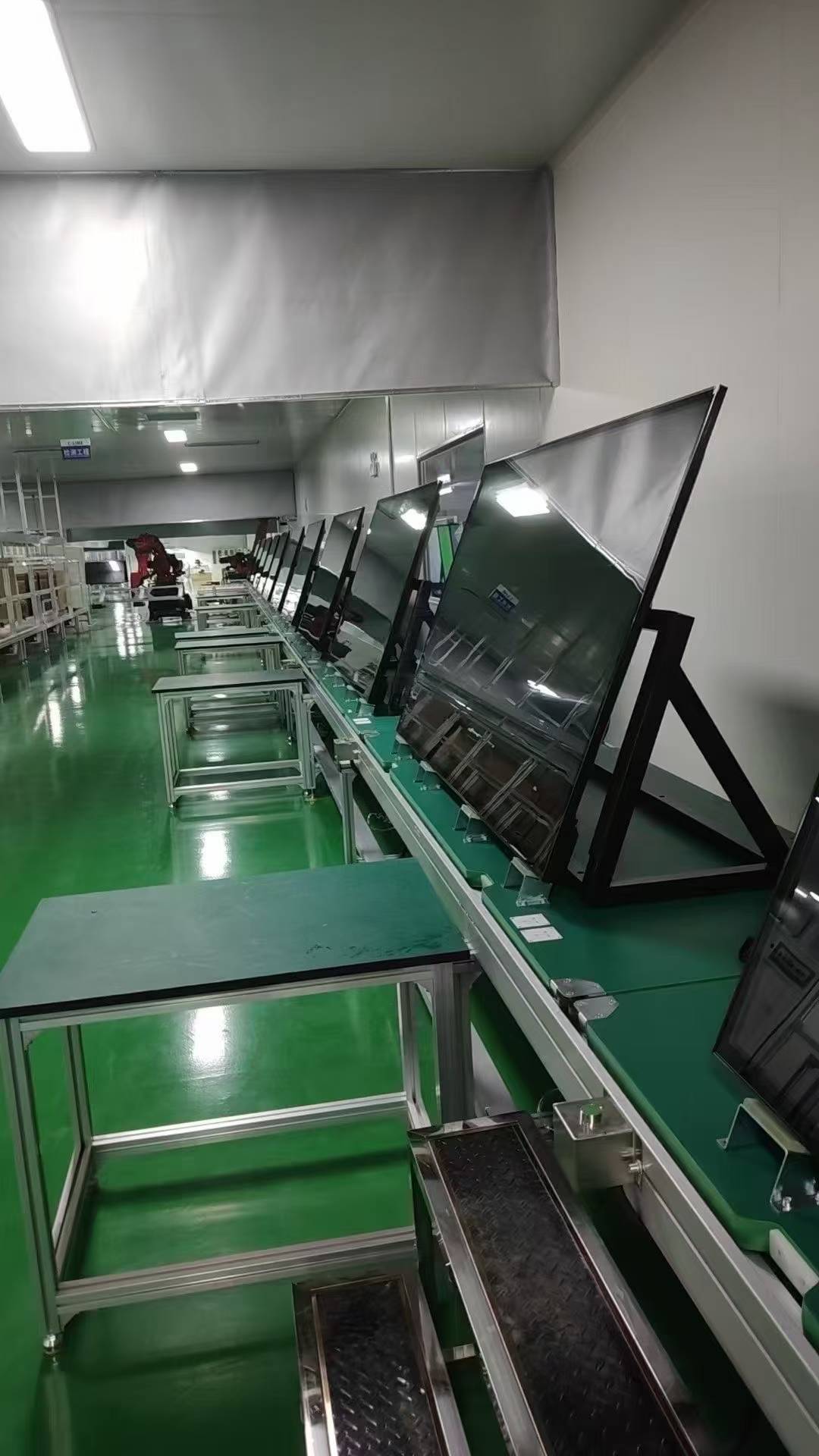 Production and pre-shipment inspection environment for commercial display units.
For a lab programme rather than a single room, three capability facts are relevant. Monthly capacity is stated at 2,000 to 5,000 units, which is the headroom a phased multi-campus rollout needs. Lead time is 15 to 30 days with a stated maximum of 30 days. Minimum order quantity is 2 to 5 units depending on product size, so a pilot lab can be equipped without committing to a full estate. Customization covers logo, colour, software, UI interface, packaging and voltage, plus screen size, brightness, housing and system configuration, which matters when a lab wants a locked-down kiosk mode or a specific mounting arrangement.
Quality control is stated as 100% aging test and functional inspection before shipment, including brightness, waterproof, touch, temperature and continuous-operation testing. After-sales support is remote: online technical guidance, 24/7 technical assistance and engineering support. For a training lab the useful question is not whether support exists, but what the escalation path looks like during the lab's own working hours.
Product and company details are published at GZKEDRO.
Acceptance checks before the lab goes live
- Match every certificate to the model designation on the purchase order, not to the series name.
- Test the transparent station under the room's own bench lighting, with the lab's own content at working distance.
- Confirm the interaction specification of the exact see-through configuration if annotation is expected.
- Run the group display against the source devices the sessions will actually use.
- Request the aging and functional inspection record for the shipped batch.
- Agree the remote support route, response window and escalation contact in writing.
- Assign content ownership per product family before installation, not after.
- Reserve interfaces and cable routes for remote sessions at first fit-out.
Outlook
Two developments shape how labs should specify now. First, 4K display panels are part of the manufacturer's standard technology base and a remote cloud control platform for deployment, monitoring and maintenance sits in the same product environment; a lab planning content updates across several sites should design for central update from the start, because retrofitting management software across a live estate is slower than choosing it before installation. Second, hybrid instruction is becoming a normal mode rather than an exception, which raises the value of a group surface with a video conference path and lowers the value of a display that cannot accept an external source.
Neither development changes the underlying decision rule. A repair training lab buys component visibility and group instruction as two separate requirements. The KD-TP and the KD-IFPD answer them in different ways, and the certified coverage — ISO 9001 across both series, 3C on the KD-IFPD, EU RoHS 2.0, EMC and LVD on the KD-TP — is the file that lets the purchase survive an audit. Confirming that file and testing both formats in the room they will serve is the part of the decision no catalogue can perform for the buyer.
FAQ
Why would a repair training lab use a transparent display rather than a standard monitor?
Because the teaching object is the hardware, not the screen. A transparent cabinet display keeps the board visible behind the panel while guidance is shown on it, so a trainee can follow a step without looking away from the unit. A standard monitor remains the better surface for dense documentation, schematics and diagnostic software; the transparent format addresses occlusion rather than general screen work.
How should work be divided between the KD-TP and the KD-IFPD in one lab?
By teaching job. The KD-TP Series transparent cabinet display is the bench format, used where a trainee must see the physical assembly and the instruction together. The KD-IFPD Series smart conference display is the group format, documented for meeting and collaboration environments and for classroom and training environments, with multi-system compatibility and low latency writing as its documented special requirements. A lab normally needs one group surface and several bench stations, not the reverse.
Which certificates should a lab verify for these two series?
ISO 9001 coverage applies to both series and addresses the manufacturer's quality management system. The KD-IFPD carries 3C coverage, and the KD-TP carries EU RoHS 2.0, EMC and LVD coverage. Each document should be checked for certificate number, issuing body, validity and the exact model designation, and that designation should match the purchase order. RoHS 2.0 is a substances restriction while EMC and LVD are electrical requirements; they answer different questions and are not interchangeable.
What are the limits of a see-through display in a training lab?
Legibility depends on what sits behind the panel and on room lighting, so performance in the lab cannot be inferred from a demonstration. The format is also a poor primary surface for data-heavy work, and visibility does not by itself establish annotation capability, which is a separate specification item. The display also does not replace calibrated test instruments or a microscope.
How can a lab pilot these formats before a full fit-out?
Order a small first batch and run it in the room with the lab's own content. The manufacturer states a minimum order quantity of 2 to 5 units depending on product size, a lead time of 15 to 30 days with a maximum of 30 days, and 100% aging test and functional inspection before shipment. A pilot should test bench lighting, content legibility at working distance, group viewing from the back of the room, and the source-device mix the sessions will use.
The Kedro product catalogue covering the commercial display range is available for download: Kedro Product Catalog (English Edition).
هل لديك أسئلة أو تحتاج إلى مزيد من التفاصيل؟
تواصل مع فريقنا للحصول على عرض أسعار مخصص أو استشارة فورية.
طلب عرض أسعار
املأ النموذج أدناه وسيتواصل معك فريقنا بعرض مقترح مخصص.
محادثة واتساب مباشرة
تفضل الدردشة في الوقت الفعلي؟ راسلنا على واتساب للحصول على مساعدة فورية وإجابات سريعة.
- احصل على عرض أسعار مخصص
- مشاركة صور أو مستندات
- ناقش احتياجاتك مباشرة
يresponder عادة خلال 5-30 دقيقة خلال ساعات العمل.