
Live Streaming Camera Scenario Fit: Four Buyer Workflows
Live Streaming Camera Scenario Fit: Four Buyer Workflows
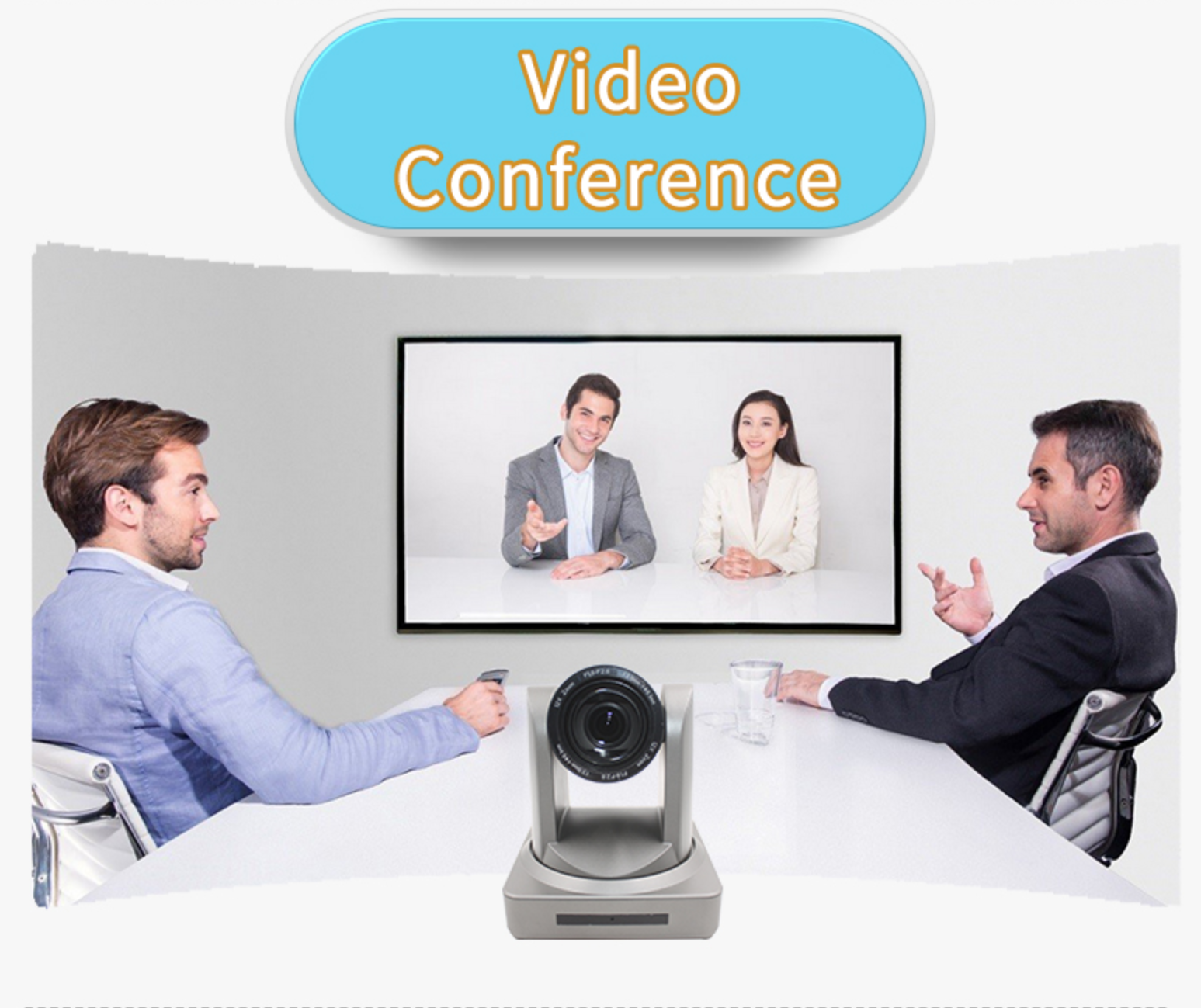
A live streaming camera's scenario fit is decided by the signal a workflow has to deliver — orientation, resolution, frame rate, interface and optics — not by the square metres of the room it stands in. A TikTok seller needs a vertical frame with product-level detail. A lecture theatre needs a presenter who stays sharp through a ninety-minute session. A broadcast desk needs an output that reaches a production switcher without a conversion step. TCHD Video lists the TCHD-X6 against e-commerce streaming, education teaching, event streaming, broadcasting and medical applications; reading those five uses against the camera's documented output modes shows where it is a direct match and where a different model is the more sensible answer.
TCHD Video (TCHD Digital Video Technology Development (Beijing) Ltd.) is a Beijing-based video hardware manufacturer established in 2005. The company reports a 10,000 m² facility, 50 employees, a ten-engineer R&D team and an annual output of 4,000 units, with a product line covering live streaming cameras, capture cards, converters, encoders and switchers, an export ratio of 20%, and main markets in the EU, USA and Asia. The TCHD-X6 sits in that line as a compact USB camera — 74 × 52 × 35 mm — built around a 1-inch 50MP CMOS sensor, with a full-function USB port that supports UVC v1.1 and UAC 1.0 and both raw and encoded video output.
Why room category is the wrong starting point
Buyers often sort cameras by venue: small meeting room, classroom, hall, studio. That taxonomy breaks down quickly, because two classrooms can impose opposite requirements. A language classroom with a single seated teacher and remote students needs a tight, stable head-and-shoulders frame. A demonstration classroom where the teacher writes on a bench and walks to a board needs a wide field that still resolves handwriting. Both are classrooms; the camera decision is different.
Four constraints do the actual sorting, and each scenario weights them differently. The first is orientation and aspect ratio — whether the receiving platform renders a 16:9 landscape frame or a 9:16 vertical one. The second is resolution and frame rate, because detail and motion smoothness trade against each other inside a fixed interface budget. The third is optics and working distance: how wide the lens must be to cover the subject, and whether the viewer needs to read a product label or a slide. The fourth is physical integration — the cable type, the run length, and whether the camera connects to a computer or to a production switcher.
A fifth constraint sits beside those four and is often the one that decides medical and education purchases: what the recording is for. A training archive tolerates more compromise than a clinical record. Treating "which camera for a clinic" and "which camera for a hospital teaching programme" as the same question is the most common sourcing error in this category.
What the TCHD-X6 fixes, and what it leaves to configuration
The TCHD-X6 fixes its interface, sensor and optics envelope, and leaves orientation, image rendering and lens choice to configuration. On the interface side, the camera outputs video over USB 3.0 as a driver-free UVC device, so the host operating system recognises it without an installed driver. On the sensor side, TCHD specifies a 1-inch CMOS sensor of 50MP with a diagonal field of view of 85.3° in 4:3, 72.8° horizontal and 57.8° vertical — wide enough at typical desktop distances to hold a seated presenter plus the desk area in front of them.
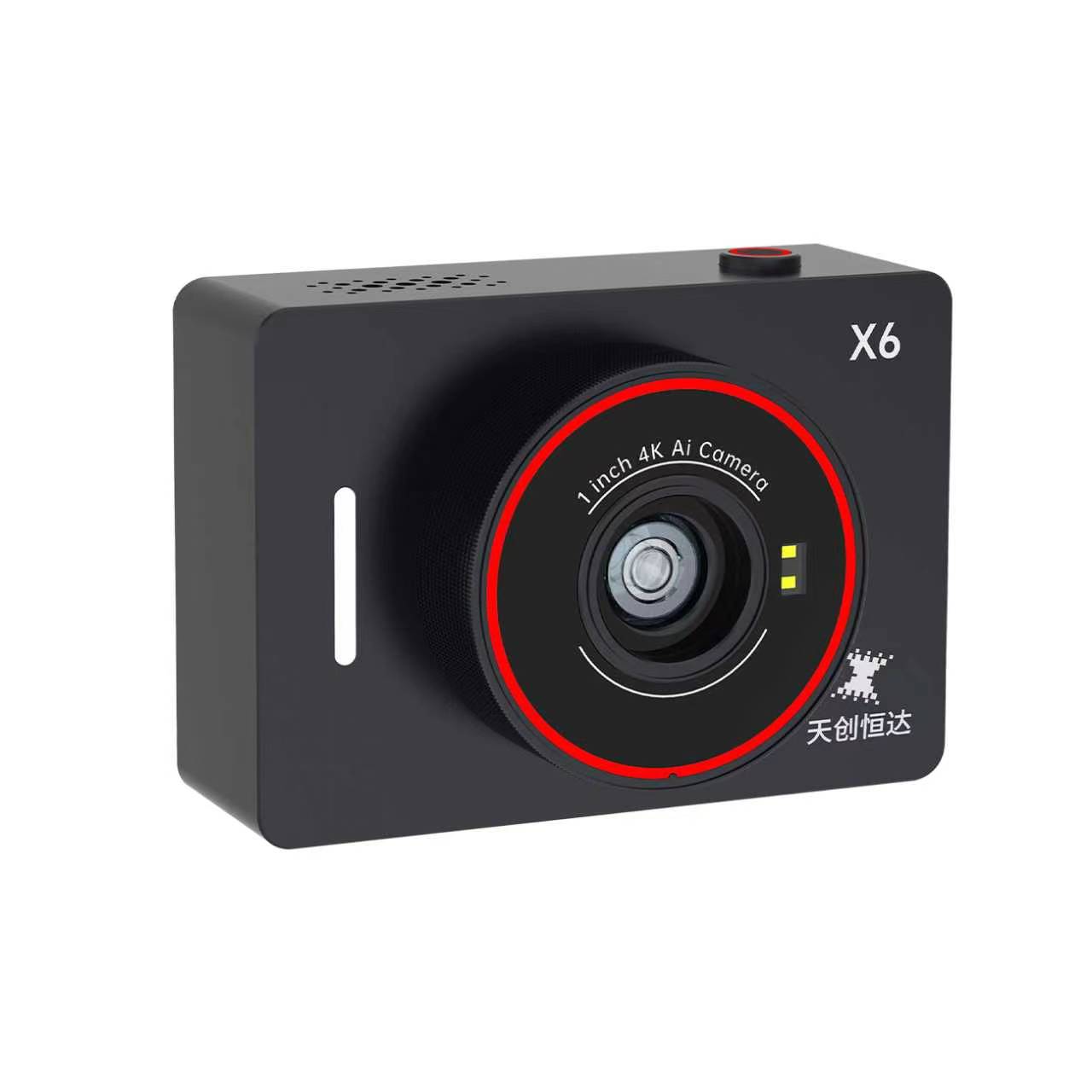
Three specification details matter more than the headline resolution, because they determine which scenarios the camera can actually serve. The first is that the video formats are split between two families: MJPEG, which reaches 4K, and YUV (YUY2), which stops at 1080p. The second is that the 1080p60 YUV mode is explicitly listed as interpolated rather than native, so a buyer who needs true 60-frame capture should treat that mode as a motion-smoothing option, not as a 60fps sensor readout. The third is that the camera carries no SDI or HDMI output — its documented video interface is USB 3.0 only. Any scenario that requires a baseband run to a switcher therefore falls outside the X6's fit, regardless of how good the sensor is.
| Output family | Listed modes | Scenario it serves | Constraint to plan for |
|---|---|---|---|
| MJPEG | 4K@30/25/15fps, 1080p@30/25/15fps, 720p@30/25/15fps | Detail-critical framing: product texture, facial close-ups, demonstration benches and slides | Compressed stream; data rate and host encoder load rise with resolution |
| YUV (YUY2) | 1080p@60fps (interpolated), 1080p@30/25/15fps, 720p@30/25/15fps | Motion continuity where the subject moves and the software prefers uncompressed colour | The 60fps mode is interpolated, not native capture; uncompressed output consumes substantially more bus bandwidth than MJPEG at the same resolution |
Beyond formats, the X6 exposes a set of image controls that matter in commercial and clinical-looking work: HDR, independent adjustment of 24 colour tones and their saturation, and separate controls for red, green, blue, yellow, orange, warm tones, highlights and shadows, arranged into four image versions — Standard, De-Red, Fairer and Professional. These are rendering controls, not corrections of the scene; they shift how skin and materials are reproduced, and a buyer should evaluate them against their own lighting rather than assume a fixed result.
E-commerce and portrait delivery: vertical framing plus product detail
For e-commerce streaming, the binding constraint is orientation. Vertical commerce platforms render a 9:16 frame, and a camera that only outputs landscape forces the operator to crop, which throws away sensor area and framing control. The TCHD-X6 supports both landscape and portrait output modes, so the vertical composition is produced by the camera rather than reconstructed in software. That is the single most consequential e-commerce fact about this model.
Detail is the second requirement. A seller demonstrating apparel weave, a cosmetic texture or a connector layout needs the viewer to see the material, not an impression of it. The 4K@30fps MJPEG mode provides the resolution headroom for that, and the interchangeable lens system extends it: TCHD lists an external 4.8× macro lens for close product work and a 58mm portrait lens, which is the conventional choice when the presenter should occupy a tighter frame than a wide built-in lens allows.
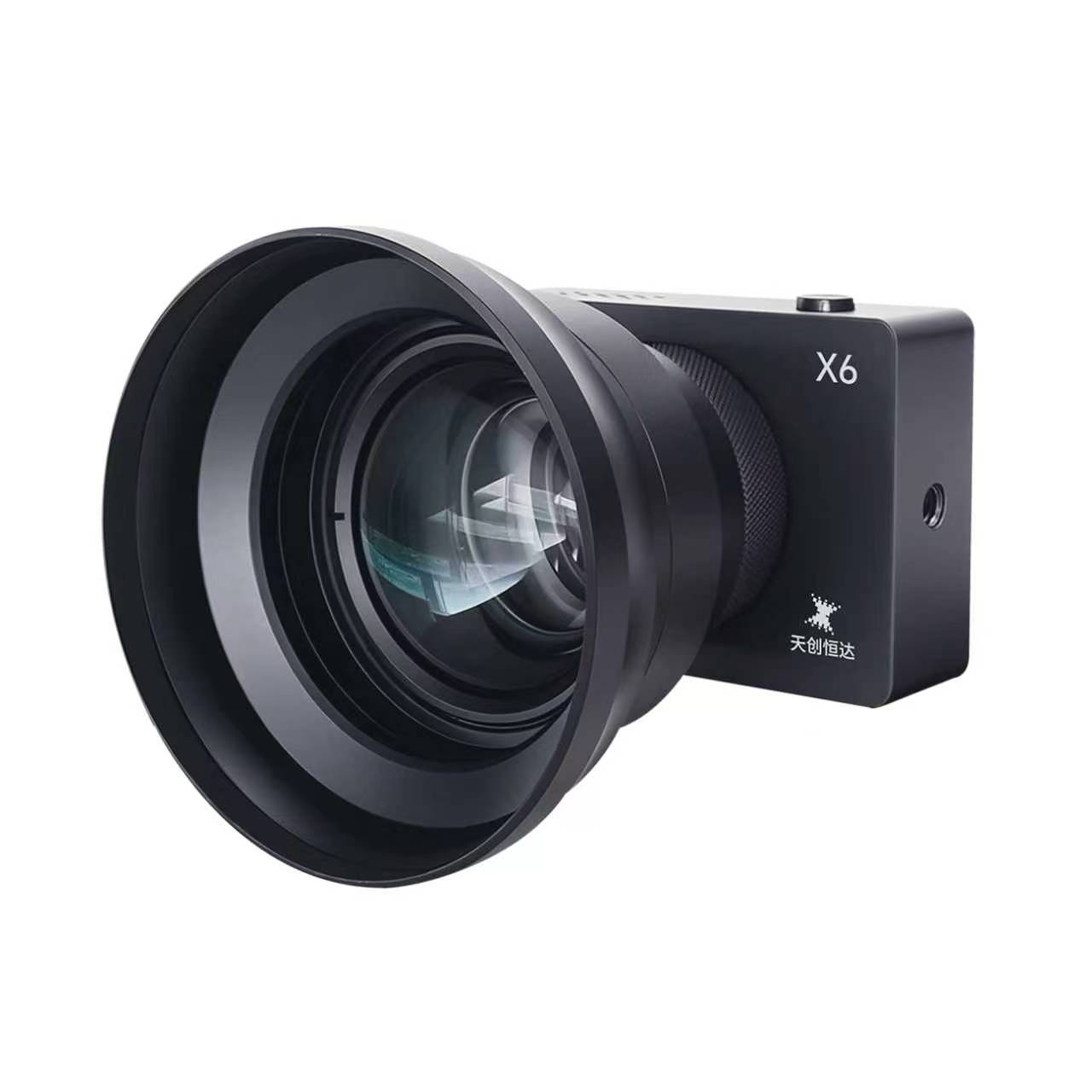
Movement is the third. A live host picks up products, turns to a second display and steps in and out of frame; a fixed focus camera loses the face at exactly the wrong moment. The X6 combines TOF-assisted autofocus with facial tracking, and TCHD describes an AI facial-tracking mode that can be configured against a personalised model so the camera prioritises a specific face. For a one-operator store, that is the difference between a camera that holds its own framing and one that needs continuous manual attention.
Teaching and lecture capture: focus stability over long sessions
Education is where the camera has to be boring in the best sense: the same sharp frame at minute five and at minute eighty-five. The failure modes are well known — focus hunting when the lecturer steps forward, visible grain in a dim room, and a device that needs a technician on standby. The X6 addresses these with face-tracking autofocus that TCHD states works even without the TOF module, TOF-assisted focusing for speed and stability, and a sensor paired with 2D and 3D noise reduction that TCHD describes as holding a clean image in low light. HDR support helps where a window sits behind the presenter.
Integration is deliberately simple: UVC v1.1 and UAC 1.0 over USB, no driver installation, and compatibility with USB 3.0 and USB 2.0 ports. That means a teaching room can add a camera to an existing lecture-capture or conferencing application without a rebuild, and it also means the room can be re-purposed for a hybrid tutorial without re-cabling. TCHD also positions the TCHD-T3 and TC420 in education teaching; the T3 adds HDMI, SDI, LAN and USB 3.0 outputs with RTSP, RTMP, ONVIF, GB/T28181 and SRT support, which matters where the camera must sit on a campus network rather than on a lectern PC.
What a two-year teaching deployment actually shows
TCHD's public deployment record for teaching live streaming covers 20 units across Germany, Australia and Malaysia, supplied over two years, with reported results of stable operation, no noise and working AI auto tracking, and a client base that includes government, hospital, school and YouTuber users. That record is attached to the TC-980S, not to the X6, and it covers one supplier's deployments rather than an industry-wide pattern — both qualifications matter when the record is used as evidence.
What the record does establish is which criteria education buyers exercise over time. "No noise" and "auto tracking" are not launch-day demo properties; they are the complaints that surface after months of daily use in real rooms. A teaching camera is therefore assessed on sustained low-light cleanliness and on whether tracking keeps a walking lecturer framed without operator input — the same two properties the X6 targets with 2D/3D noise reduction and configurable facial tracking, and the same two properties a buyer should test before a term starts rather than after.
Event streaming and broadcasting: where USB ends and baseband begins
TCHD lists event streaming and broadcasting among the X6's intended applications, and within a defined envelope that holds. Hybrid events, breakout rooms, panel discussions streamed from a laptop, and single-operator conference webcasts all run on a computer already, so a UVC camera plugs into a workflow that exists. The landscape-to-portrait switch is also useful for social clips cut from the same session.
The envelope closes when the camera must reach a production switcher over a baseband run, or when the shot needs optical reach. The X6 has no SDI or HDMI output and no optical zoom; it is a fixed-lens USB device. For those jobs, TCHD's PTZ line is the documented alternative. The TC420 offers HDMI, SDI, LAN with PoE and USB 3.0 outputs, a 12× optical zoom, power consumption under 12W and VISCA, Pelco-D and Pelco-P control. The TC-980S offers HDMI, SDI, LAN with PoE+ and USB 3.0, an 8.42MP sensor, 12×, 20× or 30× optical zoom depending on variant, monocular tracking with several modes and a stated maximum tracking distance of 18 metres, with NDI and Dante AV listed as optional. Where a room needs a camera on a wall bracket tracking a stage, the PTZ is the fit; where the camera sits beside a laptop, the X6 is.
Public-sector buyers should also separate interface labels from interoperability. Government videoconferencing guidance in Texas, for instance, asks dedicated room systems to meet relevant ITU standards — H.320 or H.324 in certain telephone and ISDN environments, H.323 or SIP for internet-based conferencing — and ITU-T H.324 itself addresses video input and output equipment including cameras within an audiovisual terminal architecture. Those documents define a procurement expectation, not a product certification, so the practical step is to request the declared protocol support of the software stack the camera feeds, rather than inferring compliance from resolution or connector type.
Medical use: an application listing is not a device certification
The X6's applicable-industry listing includes medical, and the camera's technical profile suits the teaching side of that category: 4K detail for close work, a 4.8× macro lens for tight framing, face tracking for a presenter narrating a procedure, 24-tone colour adjustment for consistent rendering across sessions, and low-light noise reduction for rooms that cannot be brightly lit during capture.
That is a statement about image capability, and it stops there. TCHD's own product pages describe medical and surgical-teaching applications — including a separate 12G-SDI 4K broadcast PTZ model listed for surgical teaching and medical video recording — but application language on a manufacturer page does not establish medical-device registration, clinical certification, or suitability for a sterile field. Buyers in this category should verify jurisdiction-specific device registration, cleaning and disinfection compatibility, electrical safety and EMC documentation directly, and should treat "listed for medical" as a starting point for due diligence rather than its conclusion.
The distinction has a practical consequence for procurement. A hospital producing training material for internal education is buying a camera; a hospital capturing imagery that becomes part of a patient record is buying a regulated system component. The X6's documented profile belongs to the first case. Where the requirement is the second, the compliance question decides the shortlist before the sensor does.
Scenario-to-requirement map
| Scenario | First requirement | TCHD-X6 documented evidence | What to check before committing |
|---|---|---|---|
| E-commerce, vertical delivery | 9:16 output plus close product detail with a moving host | Landscape and portrait output modes; 4K@30fps MJPEG; AI facial tracking; interchangeable 4.8× macro and 58mm portrait lenses | Confirm the streaming application accepts a portrait UVC frame and that 4K plus encoding fits the host machine |
| Teaching and lecture capture | Stable focus and clean image across long sessions | Face-tracking autofocus without TOF; TOF-assisted focusing; 2D and 3D noise reduction; HDR; driver-free UVC | Run a full-length session in the actual room lighting; confirm the field covers lectern and board |
| Event streaming, on-computer workflows | Single-operator setup on an existing laptop workflow | USB 3.0 UVC/UAC; landscape or portrait output; listed for event streaming | Confirm the run is a USB tether, not a baseband cable to a switcher |
| Broadcast and stage coverage | Baseband output and optical reach | Not on the X6 — documented video interface is USB 3.0 only | Move to TC420 (HDMI/SDI/LAN/USB, 12× zoom) or TC-980S (HDMI/SDI/PoE+/USB, up to 30× zoom) |
| Medical teaching | Close-up detail with documented compliance | 4K detail, macro lens option, 24-tone colour control, medical listed among applicable industries | Verify registration, cleaning compatibility, electrical safety and EMC at jurisdiction level; the listing is not a certificate |
Verification steps before a purchase decision
Because most of the X6's scenario value sits in configuration rather than in the box, the useful pre-purchase work is a short, repeatable test rather than a specification comparison. Four checks cover most of the risk.
First, run the camera in the software the organisation actually uses, in both landscape and portrait orientation. UVC v1.1 support is stated, but application-level behaviour with rotated frames varies, and it is cheaper to discover that in a trial than during a live sale. Second, test the 4K MJPEG stream on the intended host with the intended encoder running, since compressed 4K plus a software encoder is a heavier combined load than 1080p. Third, confirm which lens the workflow needs — macro for product detail, 58mm portrait for presenter framing — and check availability before the schedule depends on it. Fourth, run a session at the room's real light level and judge noise and focus behaviour on the recording, not on the preview.
Commercial terms are worth confirming at the same time. TCHD states a minimum order quantity of one unit, a lead time of 30 to 45 days, a monthly capacity of 500 units, 100% testing, OEM/ODM cooperation with logo customisation, remote after-sales support, and export experience in the EU, South East Asia and the USA. For a pilot, the one-unit minimum keeps evaluation cheap; for a term-start rollout, the 30-to-45-day lead time is the constraint to plan backwards from.
Outlook: from camera selection to mode selection
Commercial research published by Business Research Insights projects the global live streaming camera market reaching USD 7.83 billion by 2035 — a forecast from a commercial research publisher, not a measured figure, and one that should be read as a directional signal rather than a procurement input.
The more useful planning signal is structural. As vertical-first commerce and hybrid teaching persist, buyers increasingly select an output mode before they select a body, and the questions that decide a purchase become narrower: does the camera deliver the aspect ratio the platform renders, does the interface match the device it plugs into, and does the optics set match the working distance. Under that framing, a sensor-rich USB camera and a zoom PTZ are not competitors; they occupy different points in the same workflow, and a mixed estate — PTZ on the wall, USB camera at the desk — is a defensible standard rather than a compromise.
FAQ
Which TCHD-X6 output mode suits a vertical e-commerce stream?
The camera supports both landscape and portrait output modes, so vertical delivery is handled by the camera rather than by cropping a landscape frame. Within portrait framing, the 4K@30fps MJPEG mode is the higher-detail option for product texture, while the 1080p YUV modes reduce the data rate. The lens choice then sets the working distance: an external 4.8× macro lens for close product work, or a 58mm portrait lens for presenter framing.
Does the TCHD-X6's 1080p60 YUV mode mean native 60fps capture?
No. TCHD's specification lists the 1080p YUV (YUY2) mode at 60fps as interpolated, with 1080p at 30, 25 and 15fps also available, plus 720p at 30, 25 and 15fps. Interpolation produces additional frames from captured ones, so the mode improves motion continuity but should not be described as a 60-frame sensor readout. The MJPEG family covers 4K at 30, 25 and 15fps and 1080p at 30, 25 and 15fps.
Can the TCHD-X6 be used for event streaming that feeds a production switcher?
Only within its interface envelope. The X6's documented video interface is USB 3.0, with UVC v1.1 and UAC 1.0 support and driver-free operation, which suits event workflows where the camera connects to a computer running the streaming application. Where the camera must reach a switcher over an SDI or HDMI baseband run, TCHD's PTZ models are the documented fit: the TC420 provides HDMI, SDI, LAN with PoE and USB 3.0 with 12× optical zoom, and the TC-980S provides HDMI, SDI, LAN with PoE+ and USB 3.0 with 12×, 20× or 30× zoom depending on variant.
What does the 20-unit, two-year teaching deployment demonstrate?
TCHD's public record describes 20 units supplied for teaching live streaming across Germany, Australia and Malaysia over a two-year period, with reported results of stable operation, no noise and working AI auto tracking, and clients that include government, hospital, school and YouTuber users. The deployment relates to the TC-980S, not the TCHD-X6, and it reflects one supplier's installations rather than an industry-wide pattern. Its practical value is that it identifies the criteria education buyers test over time — sustained low-light cleanliness and unattended tracking — which are the same properties a buyer should verify in a trial.
Does listing medical among applicable industries make the TCHD-X6 a certified medical device?
No. The medical reference in TCHD's product material describes an intended application area, and it does not establish medical-device registration, clinical certification or suitability for a sterile environment. TCHD separately lists a 12G-SDI 4K broadcast PTZ model for surgical teaching and medical video recording, which is a different product category again. Buyers requiring regulated use should verify device registration, cleaning and disinfection compatibility, electrical safety and EMC documentation with the relevant authorities in their own market before procurement.
TCHD Video publishes a public product catalogue covering its live streaming cameras, capture cards, converters, encoders and switchers: TCHD Product Catalog 2025 (PDF).
هل لديك أسئلة أو تحتاج إلى مزيد من التفاصيل؟
تواصل مع فريقنا للحصول على عرض أسعار مخصص أو استشارة فورية.
طلب عرض أسعار
املأ النموذج أدناه وسيتواصل معك فريقنا بعرض مقترح مخصص.
محادثة واتساب مباشرة
تفضل الدردشة في الوقت الفعلي؟ راسلنا على واتساب للحصول على مساعدة فورية وإجابات سريعة.
- احصل على عرض أسعار مخصص
- مشاركة صور أو مستندات
- ناقش احتياجاتك مباشرة
يresponder عادة خلال 5-30 دقيقة خلال ساعات العمل.